Customers on
their own time
Using Odoo Appointments app, meet with your customers when it is convenient for them.
Appointments, at your
customers fingertips ![]()
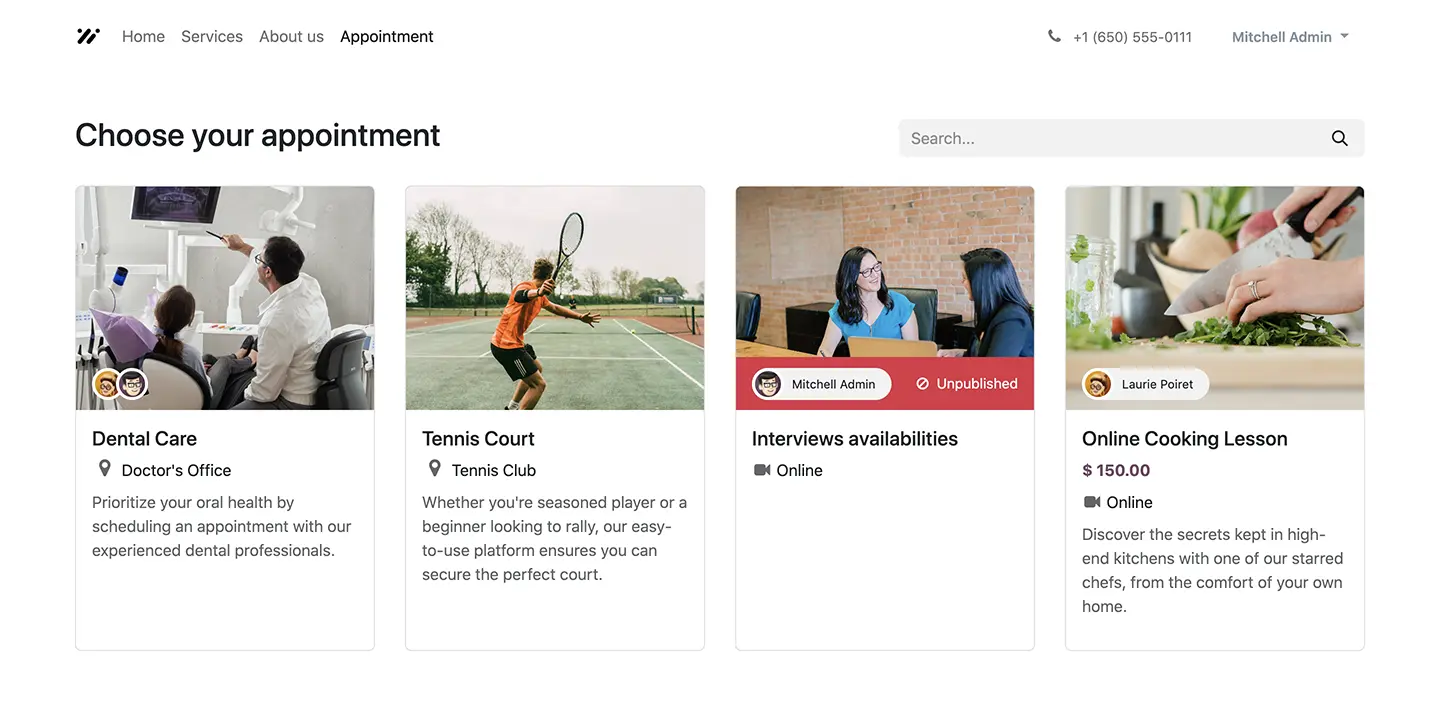
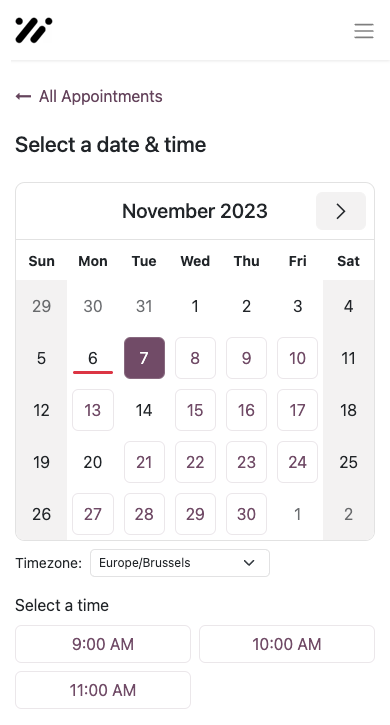
Scheduling made easy, secure a time slot within a few clicks. Customers view the availability and click to make an appointment!
Set availabilities, get your link, and connect your calendar
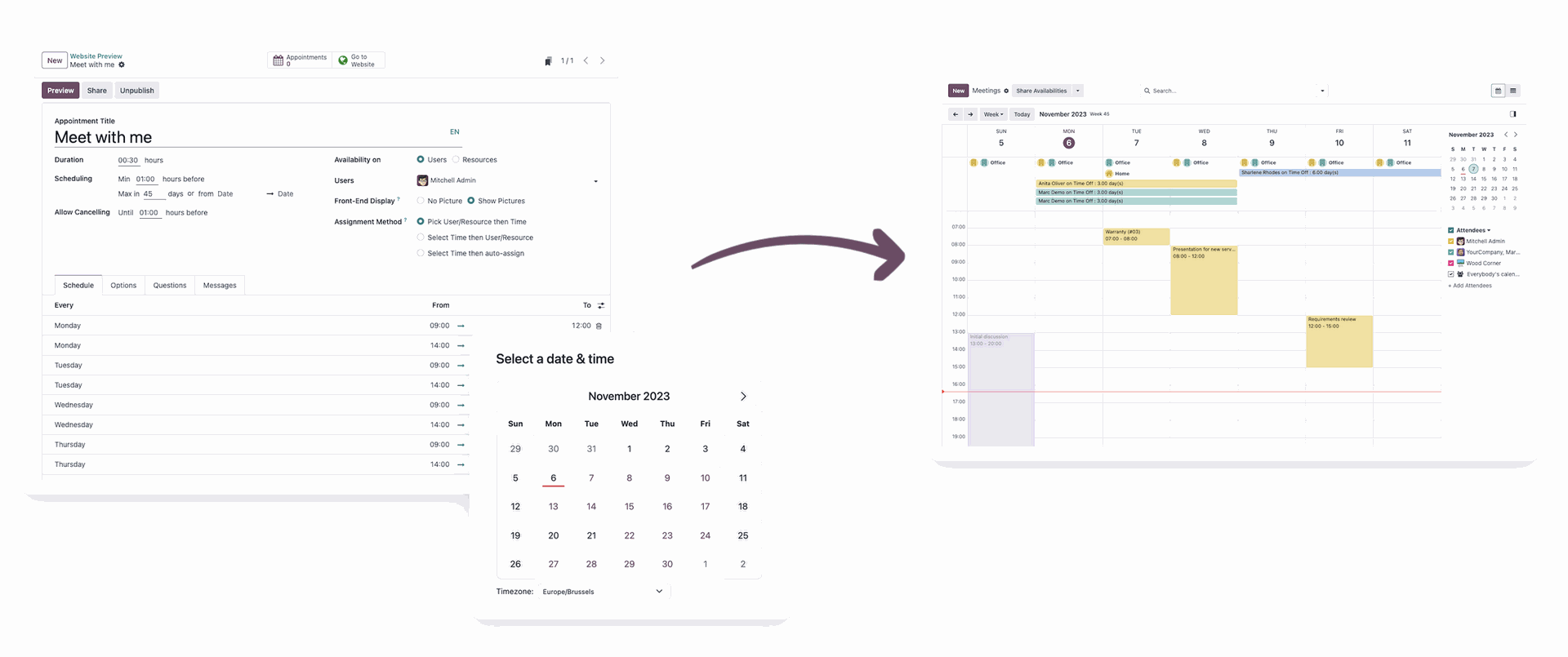
Configuration is quick and integrates with the Calendar app, Microsoft Outlook, and Google Calendar.
Never miss out on an opportunity!
Use super convenient video conferencing to connect with your customers and land more sales, hands down.
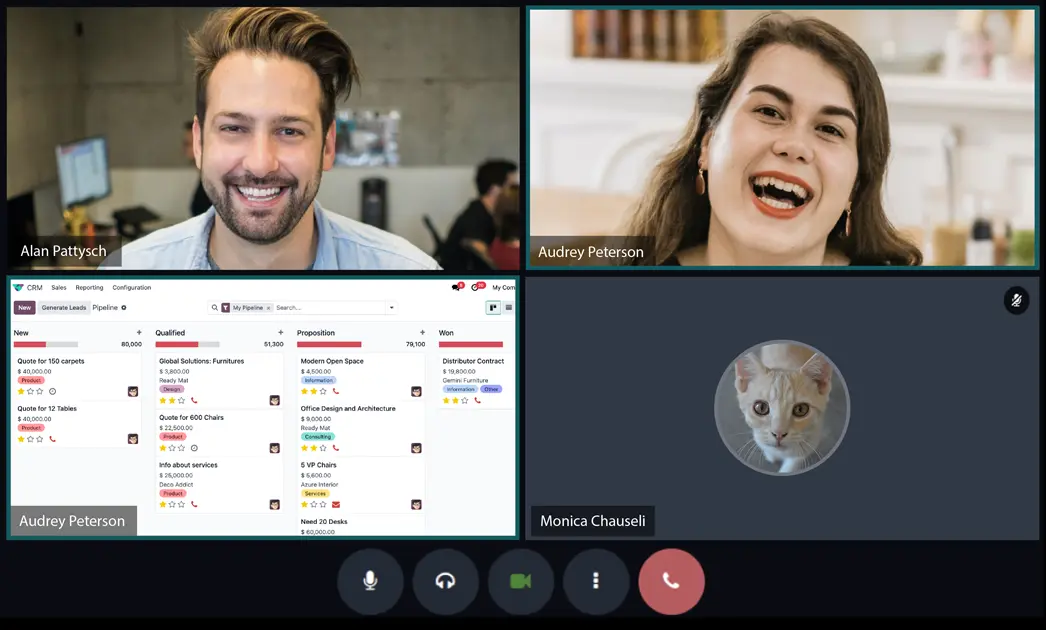
Online appointment scheduling made easy
Manage appointments efficiently with comprehensive resource and staff schedules. A complete resource-time management system.
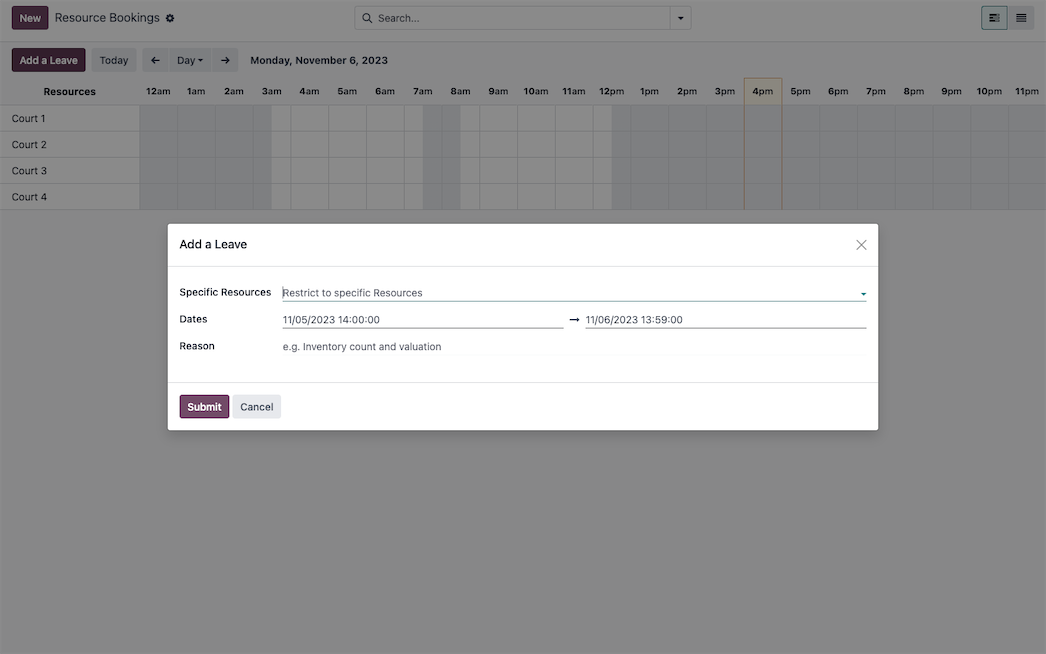
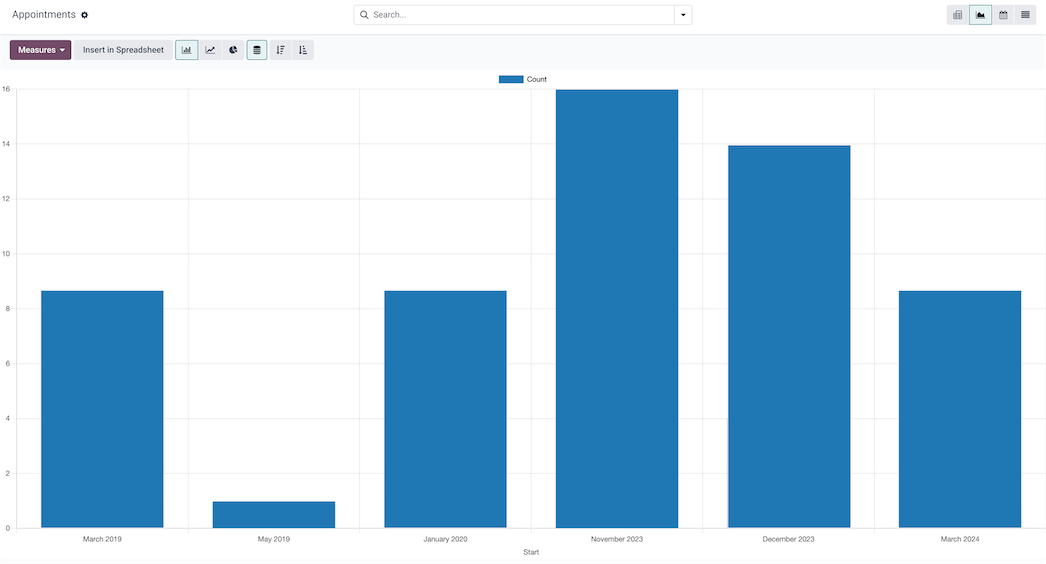
Reporting: Analyze your bookings
Optimize your resources based on time demand and be there when your customers need you most.

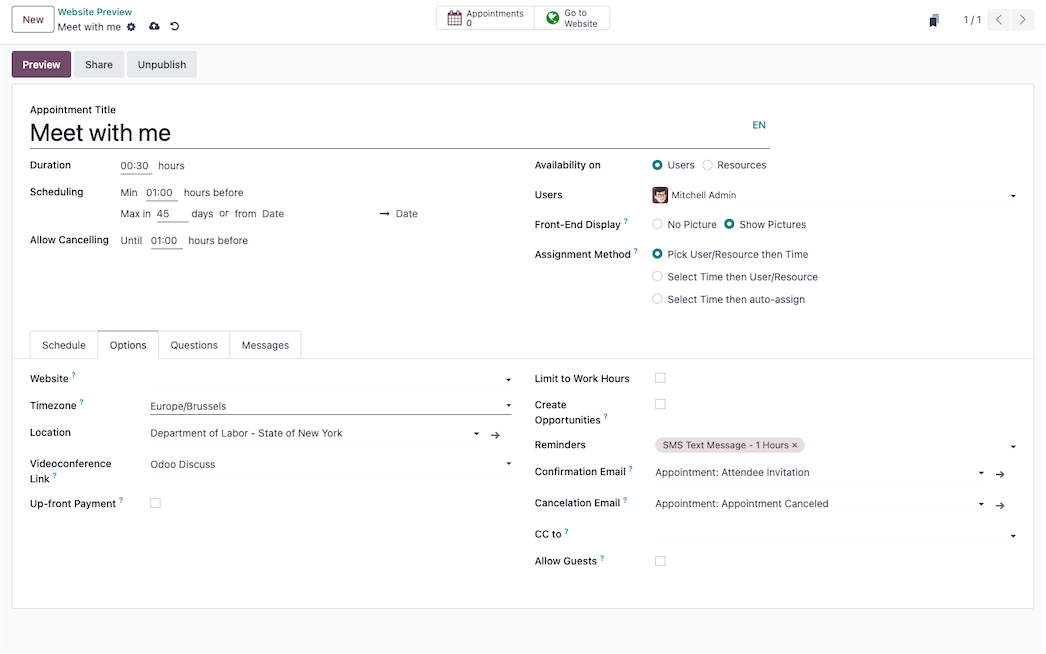
Appointments loaded with options
Set your schedule, create opportunities, add questions, and send customized messages. Send invitations with availability for customers to schedule appointments quick and easy.
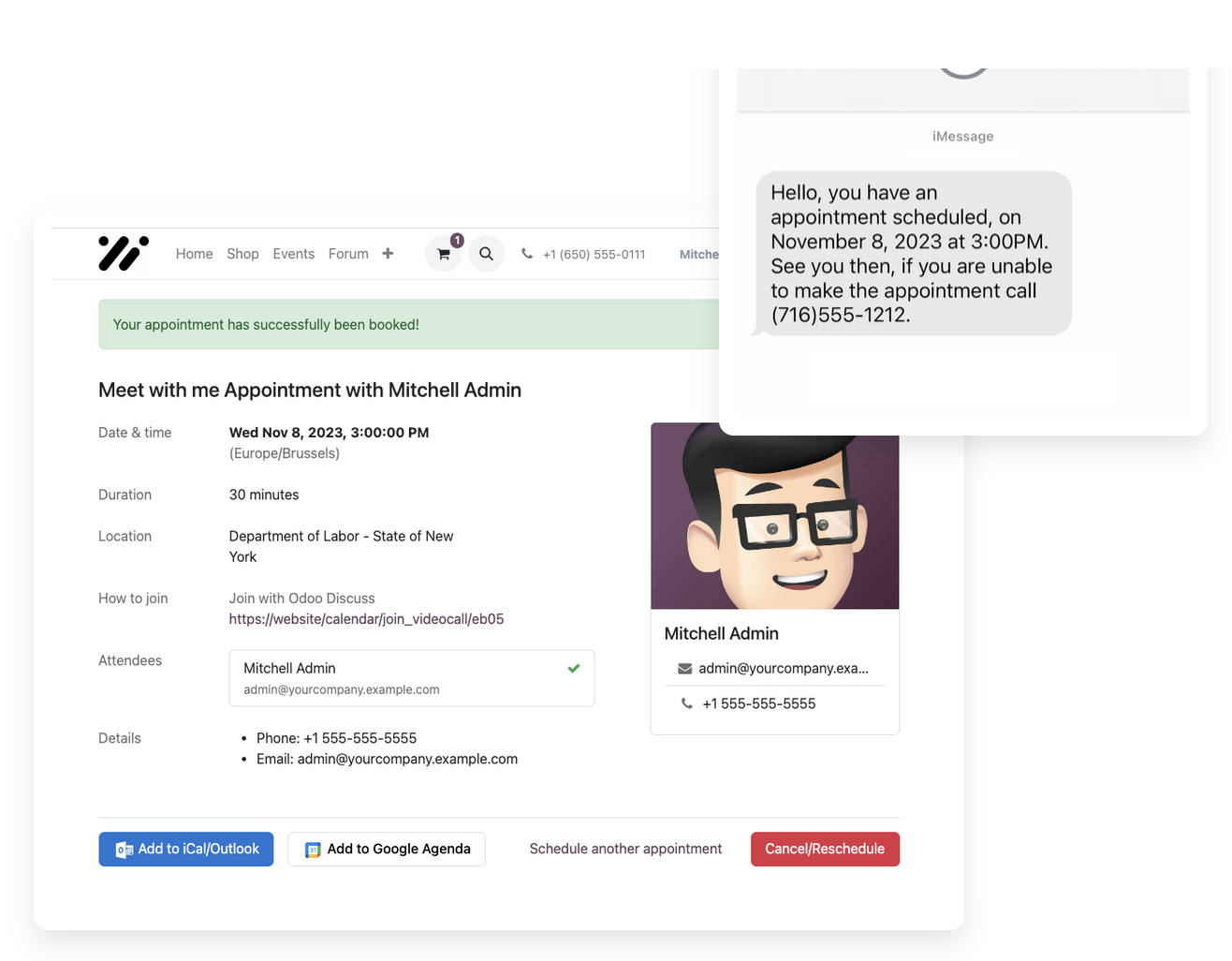
Send calendar alarms or reminders ![]()
Set a time to send a reminder using an email template loaded with dynamic placeholders, for unique customization of data. Send a SMS message or notification to reach your customers and users in different ways.
All the features done right.
Schedule
Online scheduling
Let your customers schedule meetings in just a few clicks based on their availability.
Set your availabilities
Configure your calendar to automate appointments.
Individual appointments type
Create your personal meeting link and let your prospect choose between your available time slots.
Team appointment type
Show combined availability across a team and let your prospect schedule a meeting with whoever is available.
Slot management
Define different slots and let customers schedule meetings based on your preferences and availability.
Book a resource
Set employee schedules and manage resources the right way. Manage bookings for resources tennis courts, restaurant tables, meeting rooms, etc.
No double booking
When a time slot is booked, it is removed from your calendar.
Up-front payment
Require a payment before the booking is confirmed.
Get your link
Share a link to let people book meetings with you, your team, or a resource.
Manage appointments
Multi website
Restrict the visibility of your appointments to one of your websites.
Cancellation / modification
Allow your customers to cancel or modify meetings according to your own conditions.
Confirmation or cancelation email
An email is sent to the customer when the appointment is confirmed or canceled.
Calendar alarms or reminders
Automate notification, email, or SMS reminders to reduce no-shows.
Allow guests
Let attendees invite guests to the meeting.
Mobile friendly
Let customers schedule meetings from any connected device with Odoo's responsive user interface.
Reschedule with ease
Let customers reschedule in a click, automate reminders, sync with teams calendars, etc.
Exploration with Gantt view
Manage your bookings from a Gantt view. Block out times to take off the schedule.
Analyze your bookings
Reporting allows you to optimize your resources based on time demand and be there when your customers need you most.
Flexibility
Customers choose
Give the power to your customers to meet on their terms.
Share flexible times
Share availability from the calendar. Send invites with broad availability to choose from.
Sync with your calendar
Automatically synchronize your Outlook or Gmail calendar with your mobile phone (Android) or desktop calendar application.
Copy carbon
Set contacts that need to be notified whenever a new appointment is booked or canceled, regardless of whether they attend.
Multi time zones
Schedule meetings across different time zones and let the platform convert hours for you.
Multi-languages
Every customer can schedule a meeting in their own language.
Customizable
Questions
Add questions that need to be answered upon booking.
Customize scheduling and availability
Setup custom appointment duration, availability, and padding between appointments.
Manage non-permanent meetings
Define start and stop dates on punctual appointment types.
Video conference link
Define the type of video call link that will be used during your meeting: Odoo Discuss or Google Meet.
Professional communication
Use pre-fabricated email templates to reach your customers.
Link meetings to applicants/opportunities
Meeting invites sent from leads and applicants create meetings linked to those documents.
Invitation
Create custom invitations in the calendar and share them with guests.
Easy Sharing
Customize a meeting link and share it by email, on social media or through your website.
Adaptable
Customize appointment pages, setup options like cancellation and rescheduling deadlines, etc.
Integration
Calendar integration
Fully integrated with your Odoo Calendar app.
Google and Outlook
Synchronize with your Google and Outlook calendars.
Website
Display appointment types as a selection or in a Kanban mode. Building block for appointments.
Create leads and opportunities
Automatically create leads/opportunities from a booked meeting in Appointments.
Sales Team
Assign meetings to the right person based on languages, type of request, and people's availability.
Qualification Forms
Efficiently qualify new leads with custom questions in the appointment process.