Communicate with ease
No more fragmented communication apps or crossed phone lines.
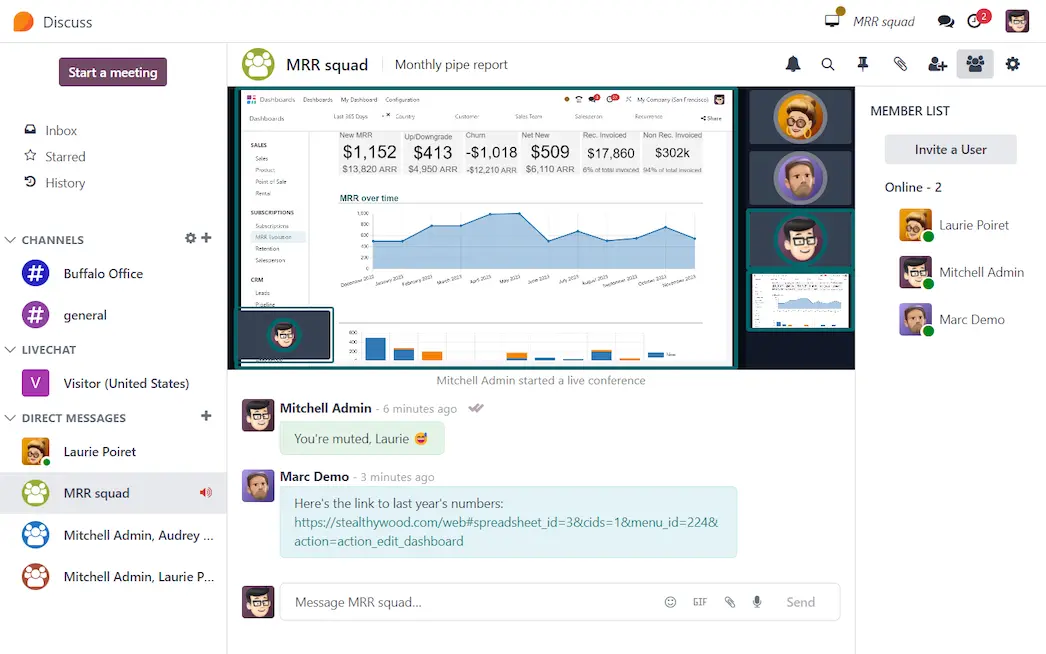
Odoo Discuss: a fully integrated communication hub
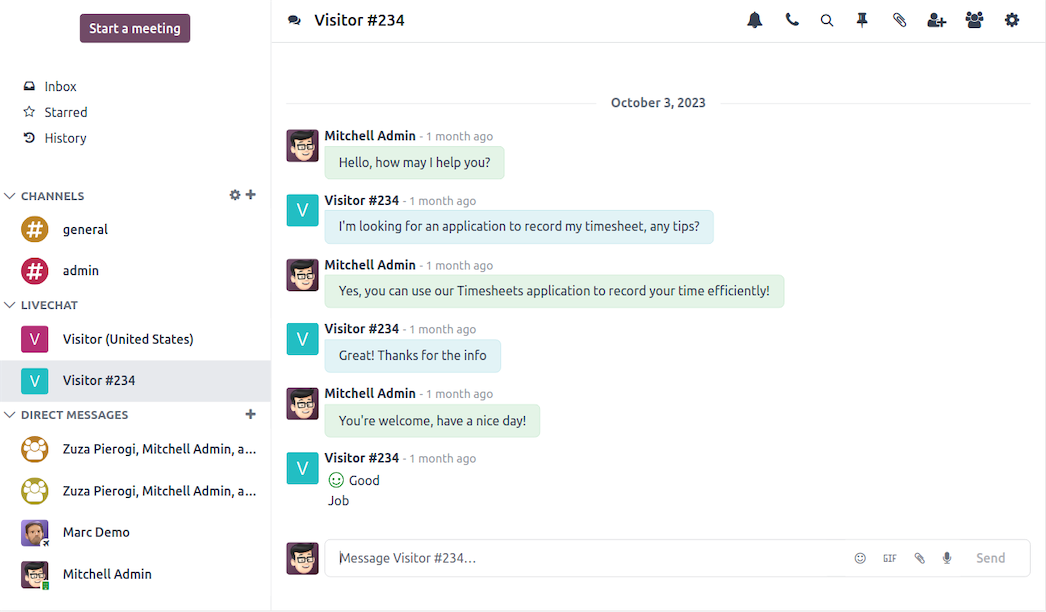
Direct messaging
WhatsApp, livechat, voice calls, and video calls – all at your fingertips.
Create message channels to reach the masses
Keep everyone on the same page by communicating announcements, meeting minutes and much more.
Odoo Discuss is integrated throughout all the Odoo apps
Communication with every. single. Odoo app.
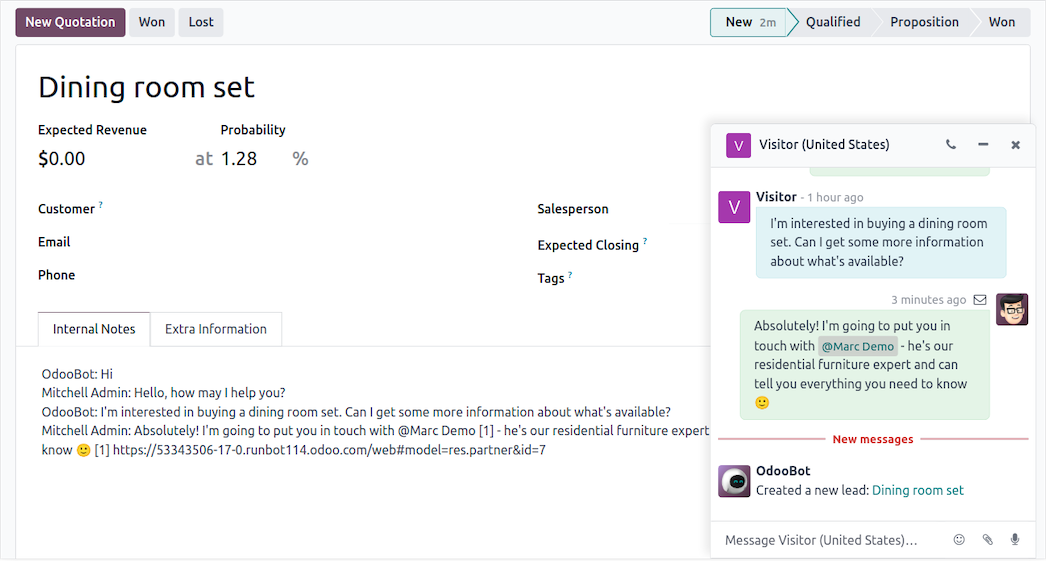

The Discuss app is the central communications hub in Odoo!
Private DMs with group collaboration on ever-single-Odoo-app, making team communications streamlined for the user.
Instant messaging between coworkers in real-time while you work through that complicated manufacturing order in the Odoo Manufacturing app.
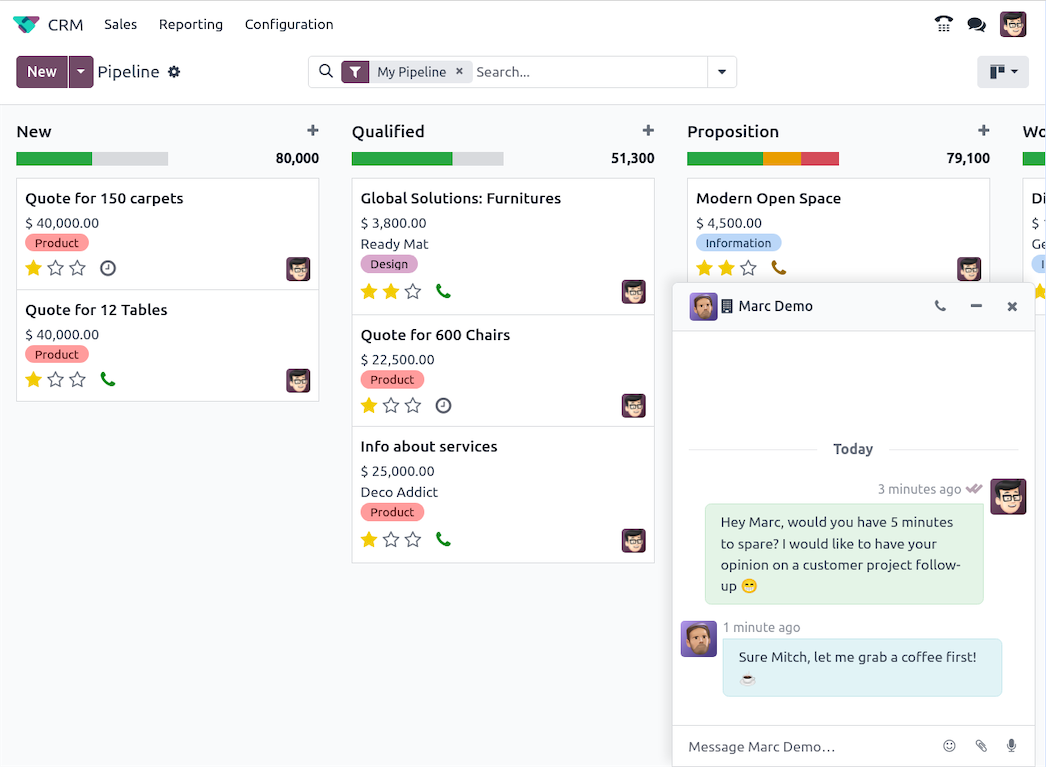
Video meetings for internal and external users!
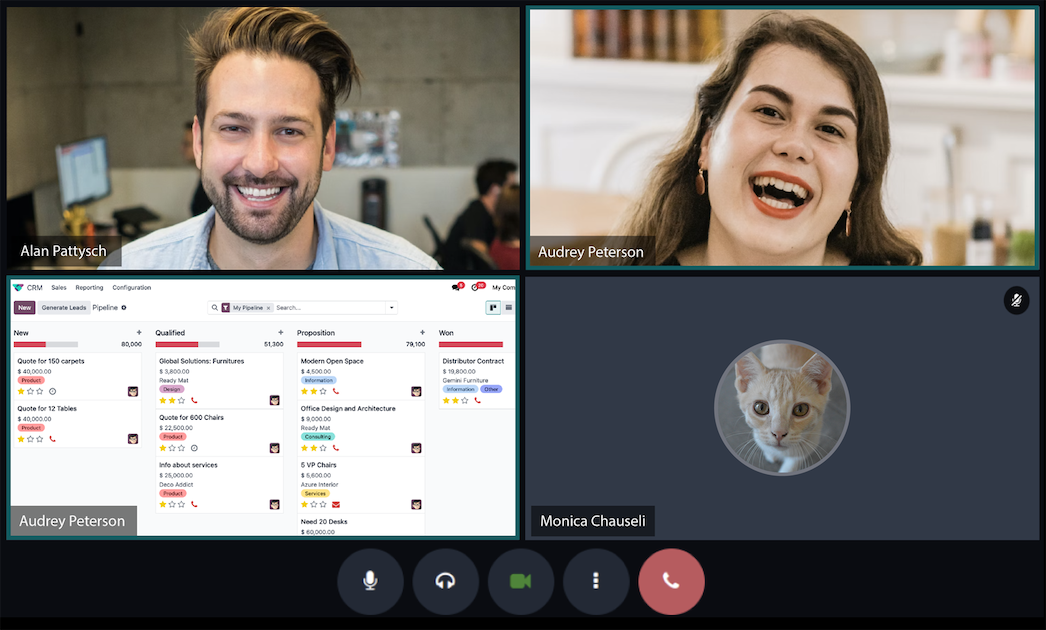
Video chat with your customers right from the meeting invite in the Odoo Calendar app.
Experience high-definition, quality video conferencing with users and customers around the world to land that big whale of a sale in the Odoo Sales app.
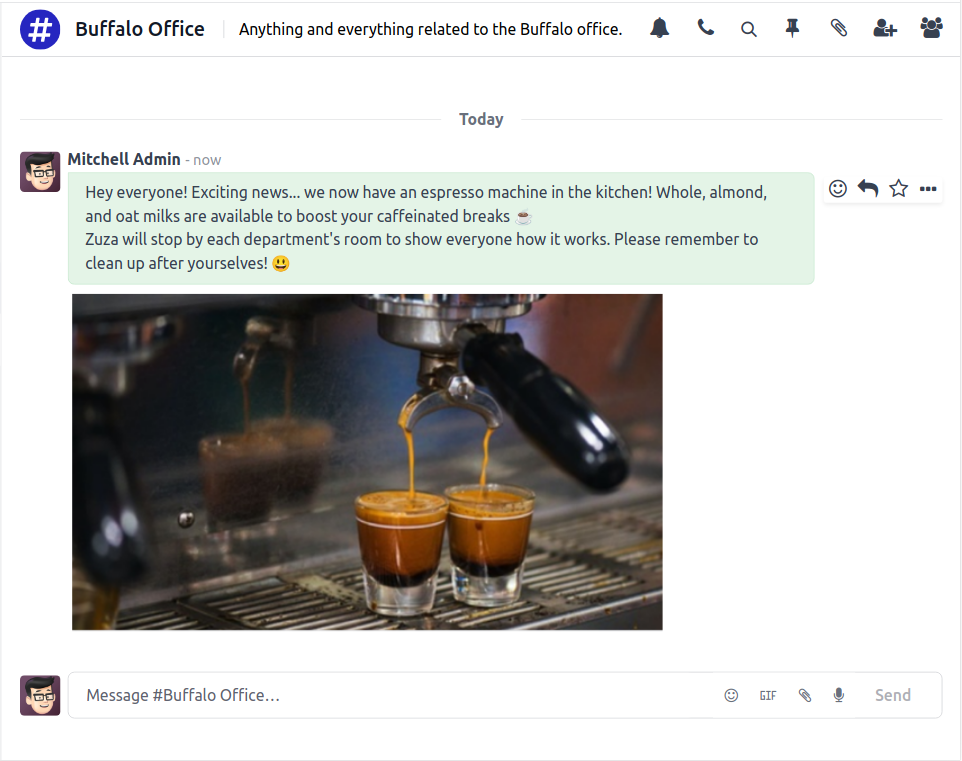
#Message_channels for targeted group communications!
Departmental broadcasts on the new espresso machine and company-wide dispatches about that new star product or service that was released, have never been more efficient. Operational leads and managers can effortlessly subscribe groups and departments to channels from the Discuss Channel Dashboard.
Notifications all in one place
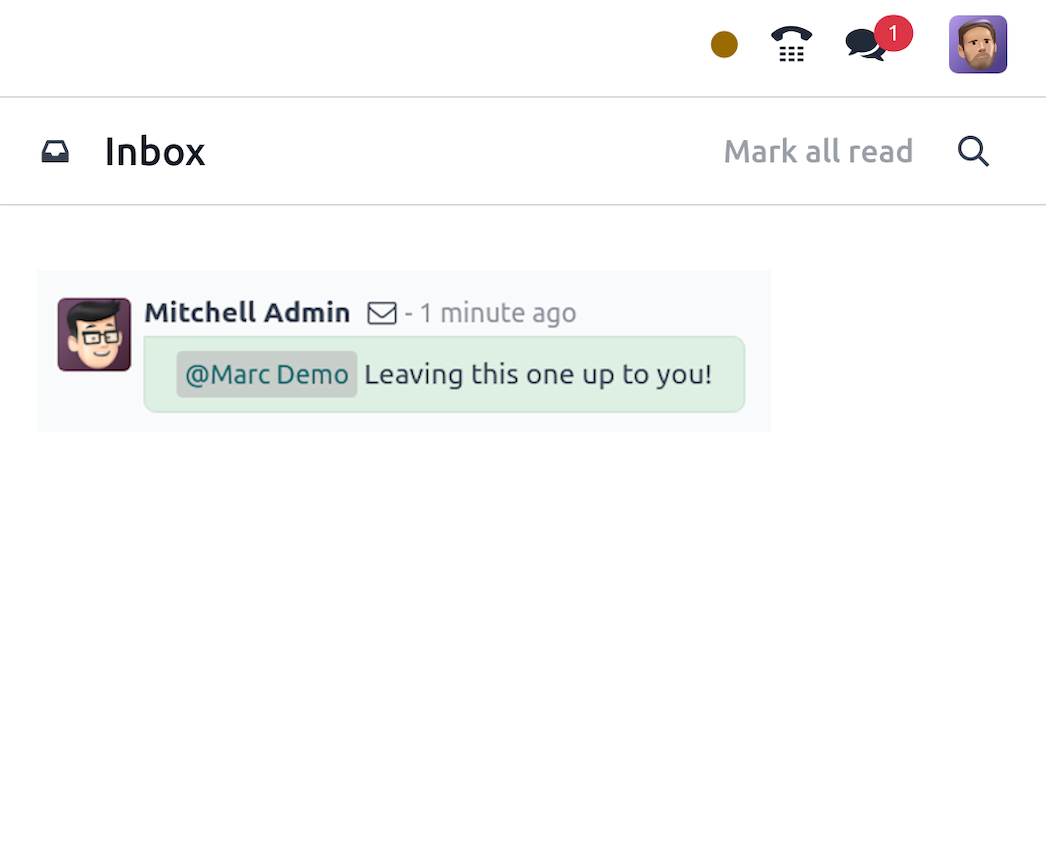
Discuss is home to all system notifications in Odoo. Readily scan your Odoo sales or purchase order responses, all from one inbox dashboard.
Effective communication drives business success
Collaborate instantly with colleagues and clients with Odoo Discuss. Add team members to group DMs, video chats, and channels to manage projects as they grow!
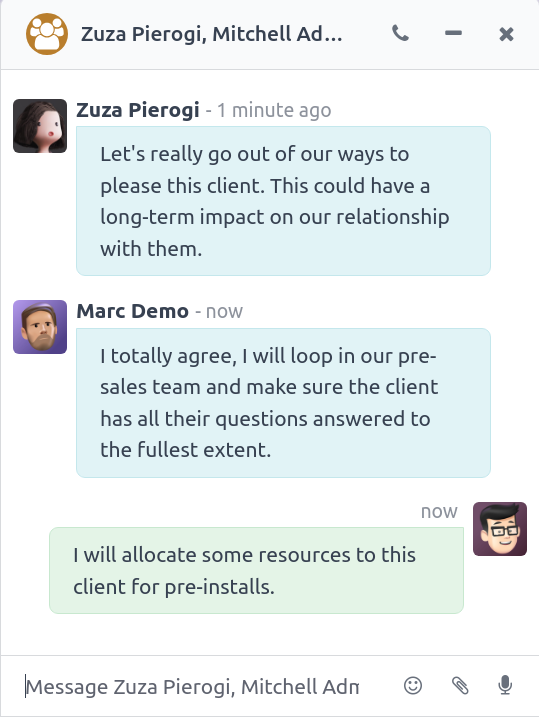
All the features done right.
Stand-alone module
News feed
Get instant access to the latest discussed topics in your company and keep track of the conversations you follow.
Notifications
Notifications inbox/dashboard provides a bird's eye view of the followed records. Notifications are displayed for all tracked changes (e.g., stage changed, task ready) in the systray.
Star favorites
Star messages with important content to easily find them back in the starred list.
Private Groups
Create secret groups and invite the users.
Status
User status indicators throughout Odoo chatter and DMs. See what colleagues are up to by checking if they are online, offline, away, or out of the office.
Manage participants
Invite participants in private groups and restrict access to channels to a selected group of employees.
Chat window
Turn a conversation into a chat session to keep chatting while switching modules.
Mailing List
Choose to send messages by email allowing a channel to behave as a mailing list.
Mentions
Mention Odoo users (@odoo_username) in conversations, and even channels (#channel_name).
Shortcuts
Start chatting with other users from the command palette on the home (Ctrl+K). Open a DM chat with a user when clicking on the @mention, both on a DM chat/chatter or a user's member name in Discuss.
Graphics
Enliven your
conversations with emojis—a wide selection of emojis structured in
categories and search functionality. Find your favorite emojis quickly
with the "frequently used" section in the emoji selector. Show user
avatars in chat. Add a smiley as a reaction to a message. Send GIFs to
your colleagues in Discuss.
Communication
Start discussions
Create direct discussions with other employees and create private discussion groups. Edit or delete a message. Edit sent messages in the chatter.
Direct messages
Private - direct message chats. Create a group from a Direct Message.
Group communication
Group messaging chats.
Video conferencing
Video chats with two or more people.
Voice lines
Voice channels to internal users.
Audio messages
Send voice messages via Discuss.
Message actions list
The message actions list has a compact/expand mode.
Channels
Channel communication
Broad and focused messaging channels (customizable). Copy button on channel invitation links. Archive an unused channel.
Subscribe to channels
Create open groups called channels to follow discussions on specific topics. Start getting involved in projects by subscribing to existing channels or creating new ones.
Invite new members to channels
Invite people as new members of channels. Simplified channel notifications. Removal of channels as followers and removal of mail channels.
Chat members
Display the list of members that belong to any given channel.
Private channels
Users who create private channels are automatically added as members.
Join/leave notifications
Less obtrusive join/leave notifications in channels.
Advanced options
Search current user
The current user is included in the chat box search results.
Mark as unread
Users can mark messages as unread in their Discuss conversations and channels to process them later. The sender sees the message as delivered and not seen.
Pin messages
Pin messages in your Discuss conversations to quickly access important and old messages. A section with pinned messages is available from the header of your conversations and channels. You can jump to specific pinned messages from there.
Link previews
Link previews are displayed when a message is posted.
Download images button
Added a download button when hovering image attachment in Discuss or on the chatter.
Options menu from username
All Discuss-related options are available when clicking a username in the chat window header. In addition, open an employee's profile or edit their username in the menu.
Activities
Keep the custom summary when changing the activity type. Display activity summaries and fallback to the activity type if no summary is set. Activities can be accessed via the widget—-display, which is assigned (if it isn't the current user). Icons show activity type.
Video
Voice & video
Voice and video calls are available. Users can change displays and share their screens with members.
Video background blur
Blur your background during video calls.
Video calls UI
Impressive user interface for video calls, with a dedicated side panel for settings.
Meeting
Users can start a meeting and invite external guests to the video call within the Discuss app.
Raise hand option from Discuss meeting
Meeting participants can raise their hands to signal that they wish to speak and notify other participants.
Show guests
Guests are shown in member lists.
Integration
Every application
Full Odoo app integration.
Modules chatter
Include messages and internal notes, add followers and channels straight from any of the apps, and keep track of them in the Discuss module.
Email addresses in chatter
Display recipients' email addresses when sending a message from the chatter.
Usability
International communication
Chat / Conference / Call from any device and anywhere in the world.
Widget
Discuss widgets accessible from any Odoo window.
WhatsApp integration, with access to messaging the same as direct messaging.
Intuitive user interface
Improved the sidebar UI to make channels, chats, etc., much easier to find. Get user avatars in the DM/Group DM section in the sidebar.
Conversations dropdown readability
Improved the conversations dropdown menu (inbox) readability.