Stop chasing paper receipts
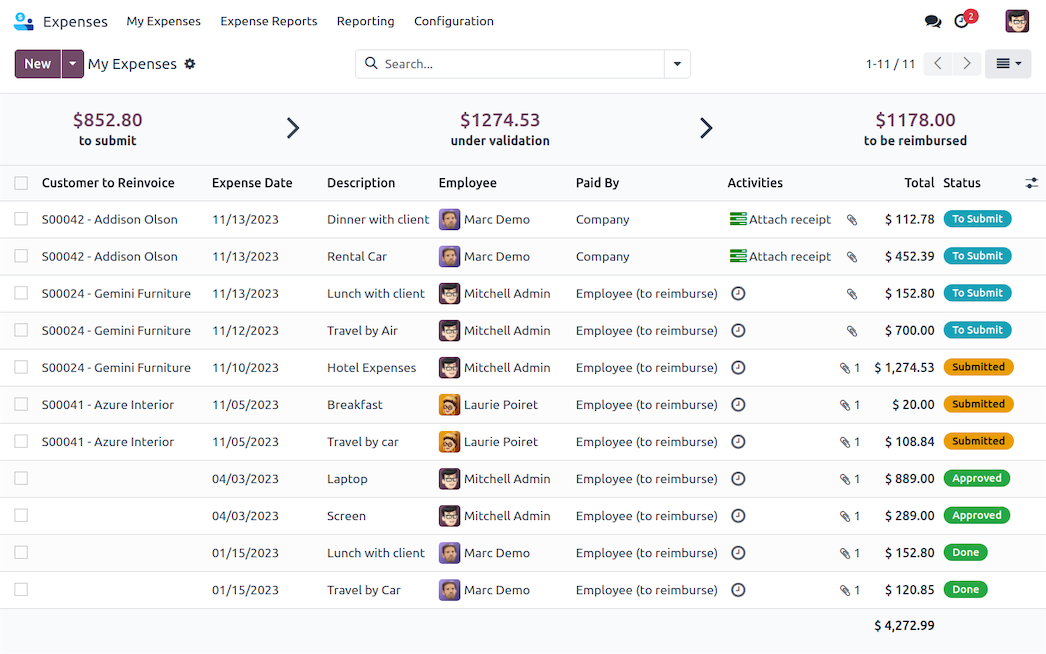
Odoo Expenses keeps everything organized so you can say goodbye to that envelope of receipts!
Submit on the go
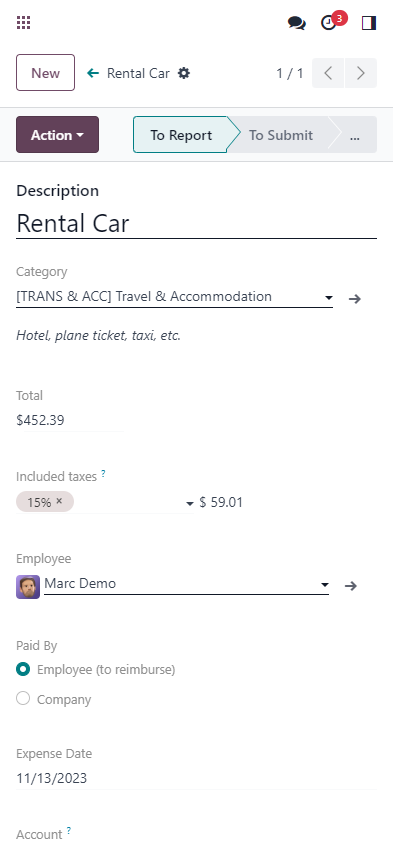
Submit expenses right from your phone! Whether emailing an expense or uploading a receipt using Odoo's mobile app, never forget to log an expense by submitting receipts on the go, as you collect them!
Less typing,
more scanning
![]()
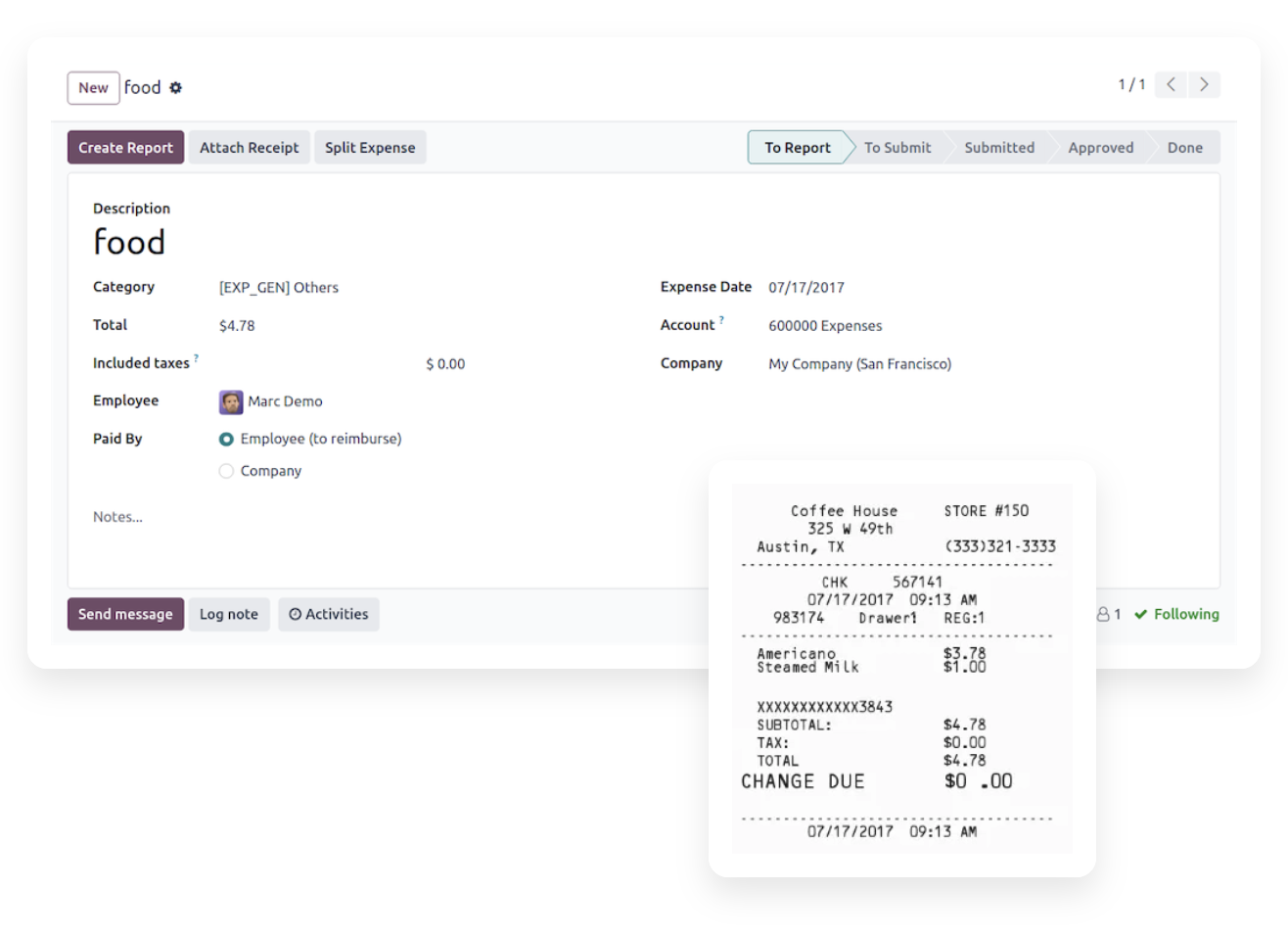
Harness the power of OCR. No more wasted time typing in each receipt detail. Odoo scans each receipt and creates an expense record with the total cost and date, so you don't have to.
Four ways to create records
Email, scan, drag and drop, or manual. Add expenses by sending an email using expense codes, scan in a receipt, drag and drop a receipt into the Expenses app dashboard, or manually type in an expense - from your phone or computer!

Every expense,
one report
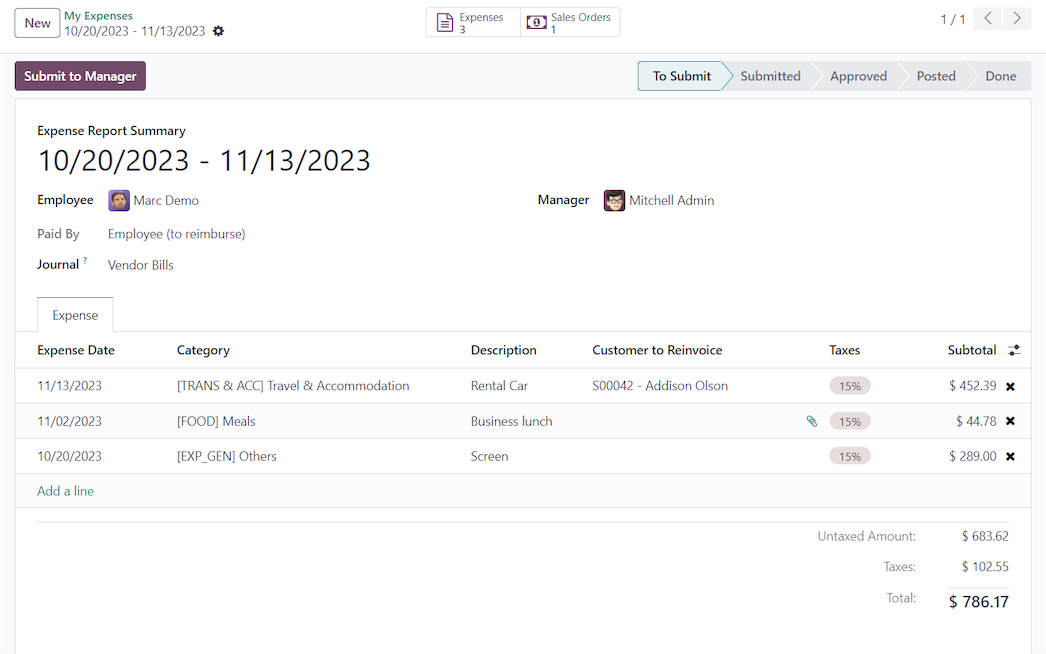
Stop submitting each individual expense. Place all expenses on one expense report with a click. Submitting a single report is easier for everyone; from the employees submitting expenses, the managers approving expense reports, and the accountants posting payments.
Reimburse or reinvoice in a flash
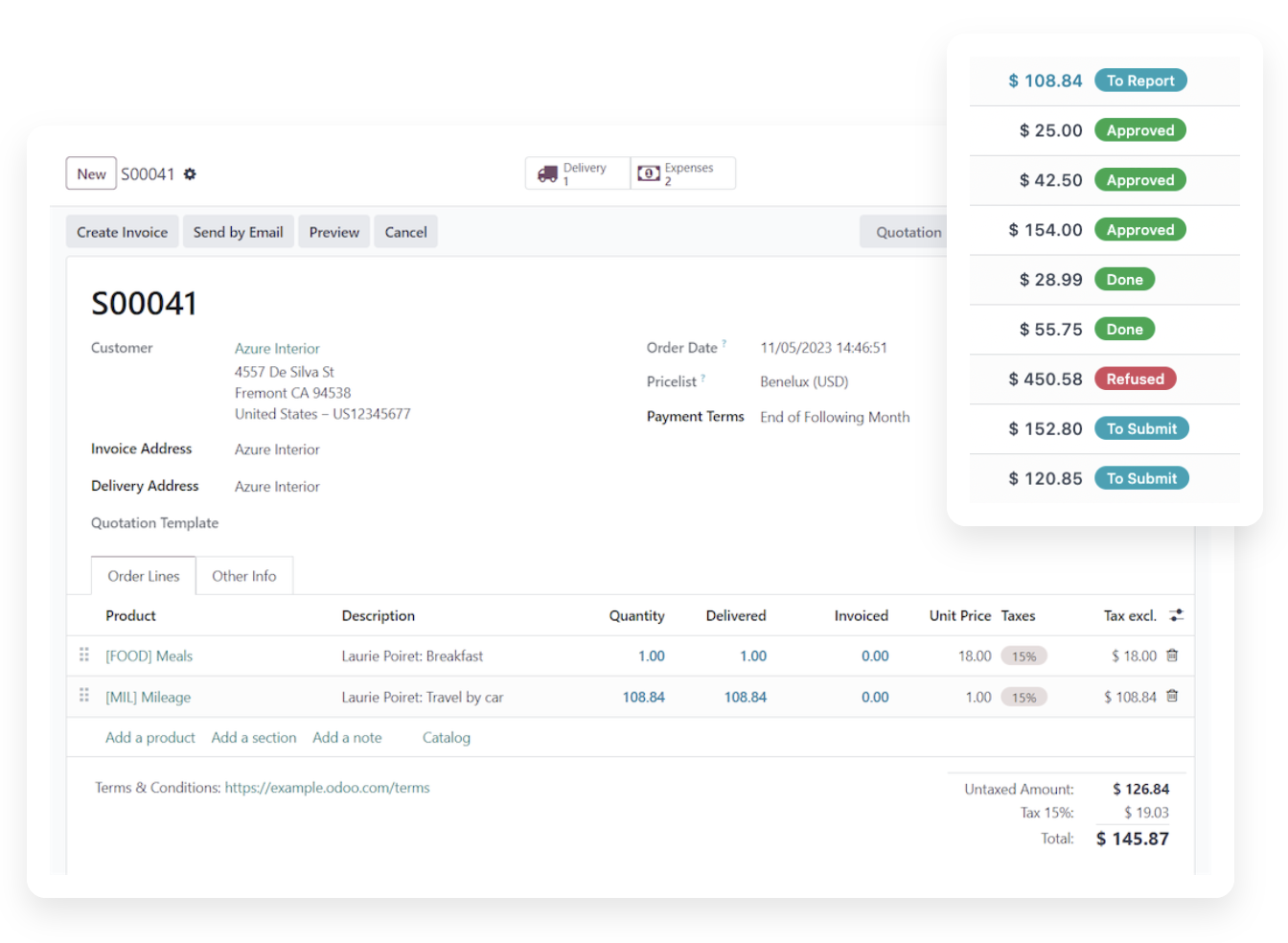
Who should really be paid? Some expenses should be paid for by the client, and others by the business. Specify expenses that should be reimbursed to the employee or reinvoiced to a customer.
Sales orders are automatically updated once expenses to reinvoice are approved. Employees are reimbursed with just a few clicks, no need to go into the accounting app!
Ready, set, expense!
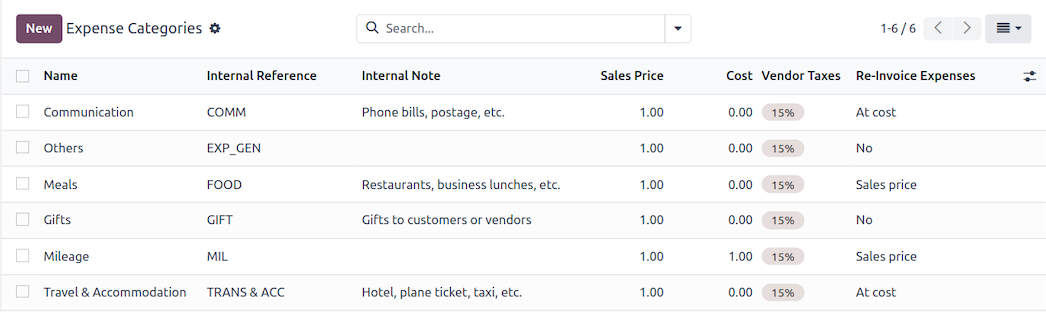
Expense categories are pre-configured! When the Expenses app is installed, a set of pre-loaded expense categories are available so you can start creating expense records right away.
Robust reporting
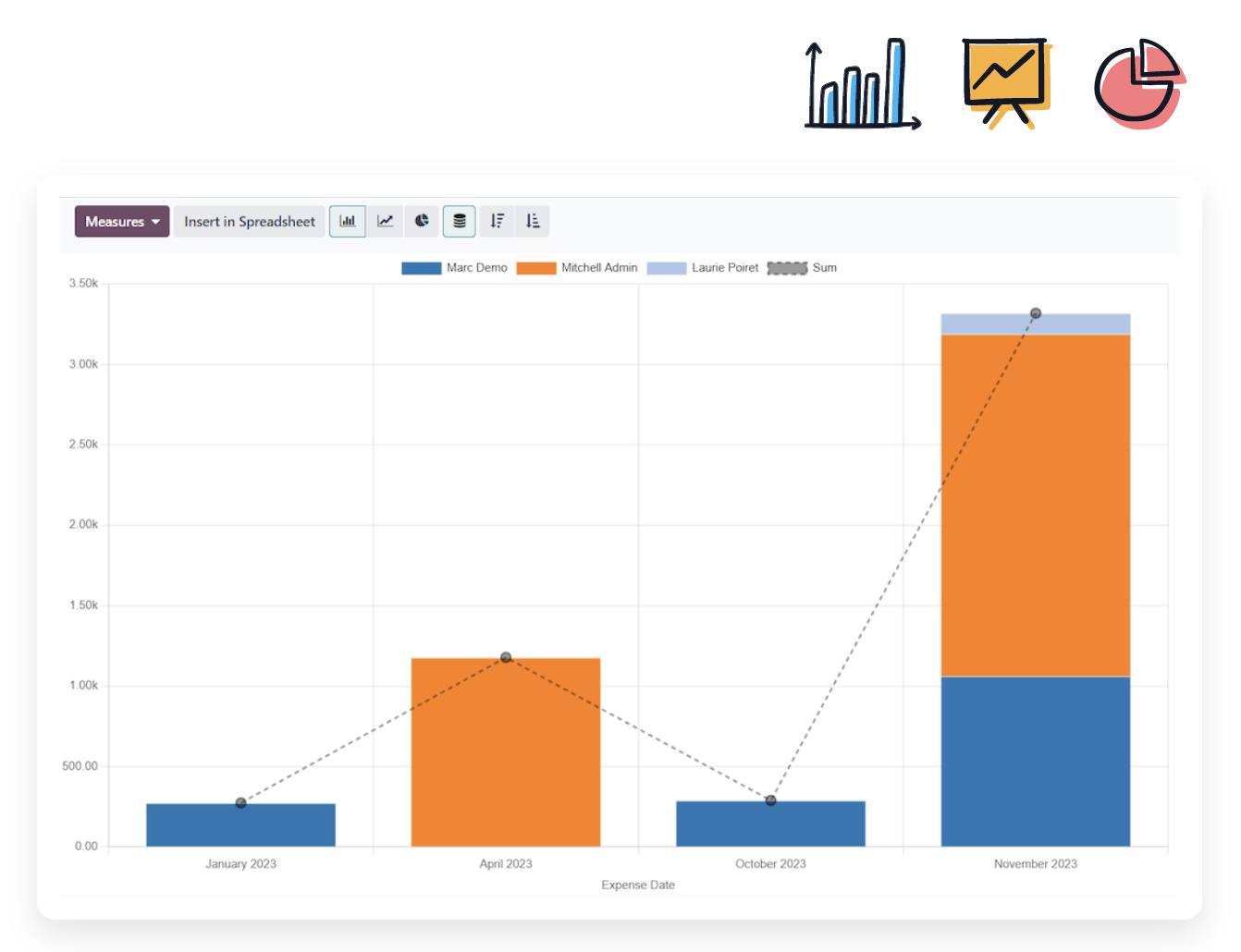
See the data you want! Visualize expenses with customized reports to show exactly the information you need. See expenses by employee, category, dates, and more. Create reports with multiple filters and/or groupings, and favorite them for easy access.
All the features done right.
Record
Expense submissions
Easily submit expense requests from the desktop version, the mobile app, or by emailing the receipt to an email alias.
Add attachments
Easily add attachments to expense records to provide reviewers with additional information, such as tickets, invoices, etc.
Expense reports
Speed up the approval process by grouping related expenses in a single expense report, so all the expenses can be approved with one click.
Add comments
Write notes on expense records to add additional information for reviewers.
Submit to Managers
Submit drafts of expenses to managers to request an approval.
Check status
Have a clear overview of all expenses, grouped by employee, time period, status, and more.
Manage
Review expense records
Review employee's notes to complete, validate, or refuse expenses. Add a comment when refusing expenses to give employees an explanation.
Compare expenses and receipts
Odoo displays a preview of the receipt next to the expense request in order to speed up the approval processes.
Accounting integration
Once approved, journal entries for the expense will be posted and reconciled.
Manage per team
Follow expenses for a whole team.
Reinvoice your expenses
Easily invoice your expenses to a customer.