It's about time you delete invoice-template.xlsx
Odoo Invoicing is the simplified billing process you have been dreaming of! Create professional invoices, customize them to your liking, and get paid faster than ever.
Click. Invoice sent
All the essential elements of an invoice are prepped just for you: customer details, products and prices, tax rates, etc. Your invoice is - literally - one click away.
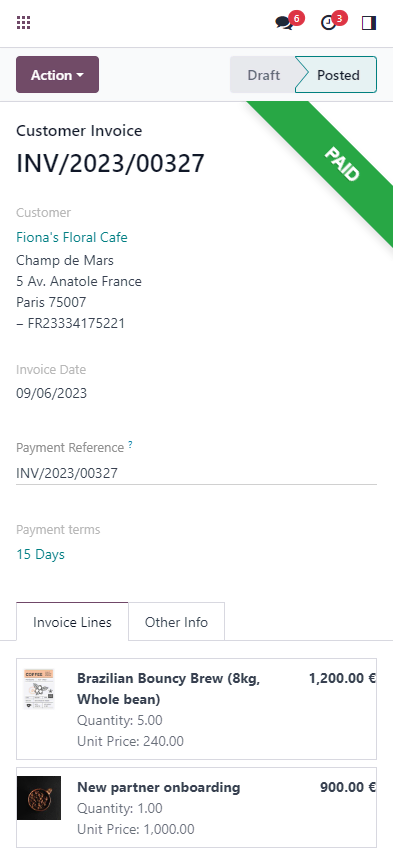
Your invoices in your pocket
Use the mobile app to issue invoices to your customers, update payment status, or even create batch payments for your vendor bills! Anytime, anywhere.


Get paid in a flash
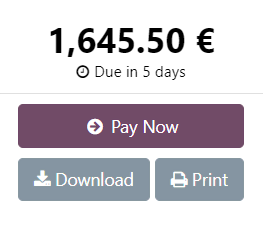
Online payments. Redirect your clients to a flawless customer portal, and let them pay with their preferred online payment method – whatever it may be.



Stop chasing Start earning
Track your open payments with clear statuses and due dates.
Set reminders for entries that need follow-up.
All the features done right.
Manage invoices
Create customer invoices
Issue clear, complete and professional invoices in seconds.
Print or send by email
Print a hard copy of your invoices to send them by post or email.
Issue refunds
Create credit notes and manage reimbursements.
Multi-company rules
Automatically mirror orders and invoices in multi-company setup.
Address autocomplete
Enter a valid VAT number, and Odoo will autocomplete the customer's name and address (Europe only).
3-Way matching payments
Compare the information on purchase orders, vendor bills, and receipts to determine whether or not your bill should be paid.
Manage supplier invoices
Record supplier invoices in the system to manage payments and integrate them into your accounting.
Handle recurring invoices
Set product invoicing frequency according to contract specifications.
Include Incoterms®
Use Incoterms standards to ensure you have the right contract terms.
Payments terms
Set up and use your preferred payment terms.
Customers payments
Easily keep track of payments with options such as batch deposit.
Automated tax
Set up your tax rules to automatically calculate taxes on your invoice, and define where rounding occurs to get accurate reports.
Compliance with International invoicing requirements
Germany, Italy, Spain, Belgium, and many more.
Peppol
Odoo supports - but not only - the Peppol electronic invoice format for countries' part of the EAS.
Customization
Choose your preferred design, style, and logo to personalize your invoices.
Vendor bills import
Manage your vendor bills easily with document digitization. Set up an email alias to directly get all your bills on your Odoo database.
Fiscal positions
Taxes and local requirements, like OSS taxes management, will be automatically set up with the fiscal position.
Handle payments
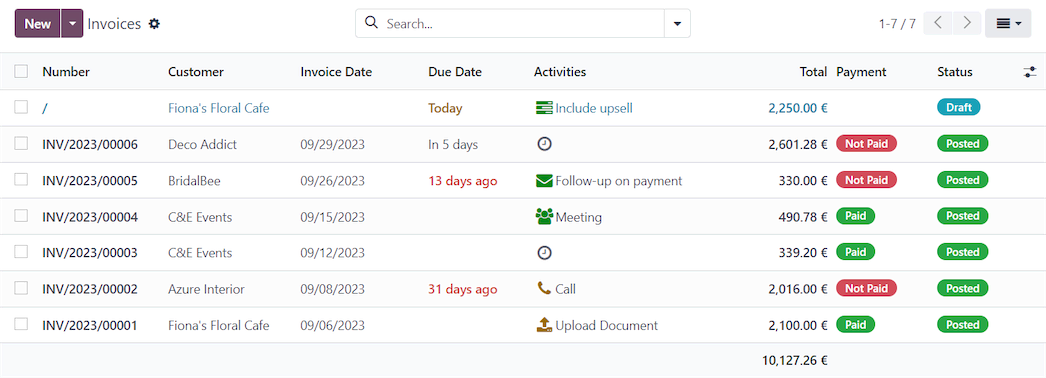
Invoices overview
Get a broad view of all invoices and filter them by status.
Payments types
SEPA payments and check printing in US format.
Multiple currencies
Allow customers to pay in their currency with an automatic currency converter and record gains and losses for each conversion. Automated update of currency rates based on chosen frequency: daily, weekly, or monthly.
Get paid online
Send your invoices by email and add a link to Authorize, Paypal, Ingenico, Buckaroo, or Adyen to get paid quickly, easily, and securely.
Batch Payments
Select multiple vendor bills and pay them all at once. Credit a batch of customers via SEPA Direct Debit or credit card tokens.
Manage and customize sequence numbers
Invoice sequence numbers are handled automatically once the invoice is confirmed. If a gap in the sequence occurs, Odoo automatically warns you.
Credit limit
Specific credit limits can be set to notify the user if the limit chosen for a customer is being exceeded.
Reports
Invoice analysis report
Get a comprehensive overview of your invoices and sales status.
Sales reports
Get direct access to key information with dynamic and customizable dashboards.