Resupply faster and never run out of stock
From RFQs to receipts, from product variants to vendor bills... kick back and let Odoo's all-in-one procurement software do the work for you.
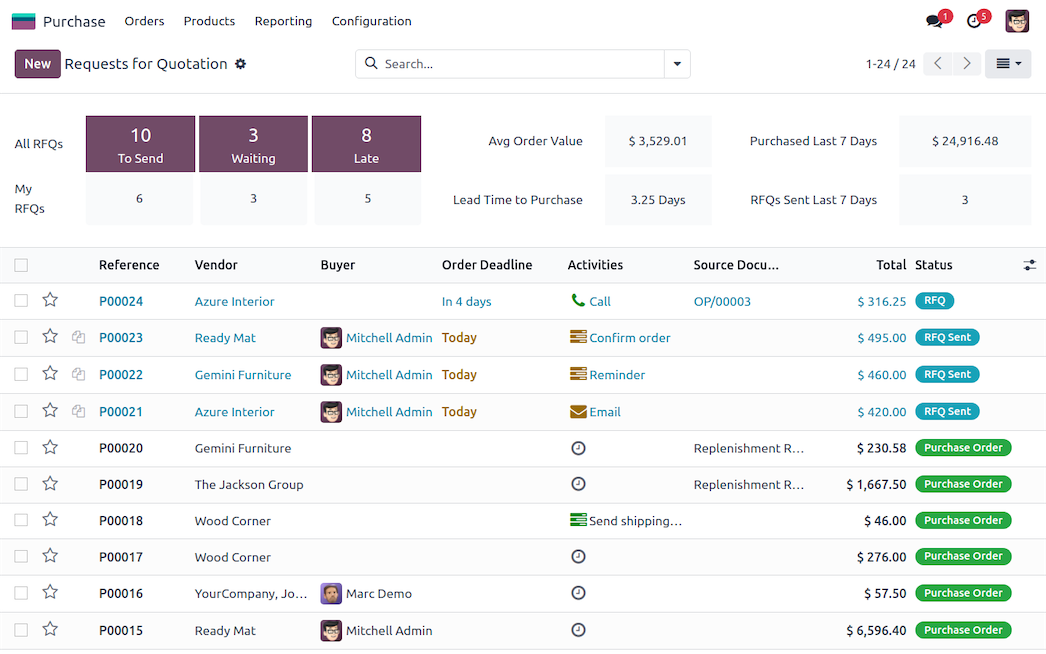
Automated RFQs for the busy bee
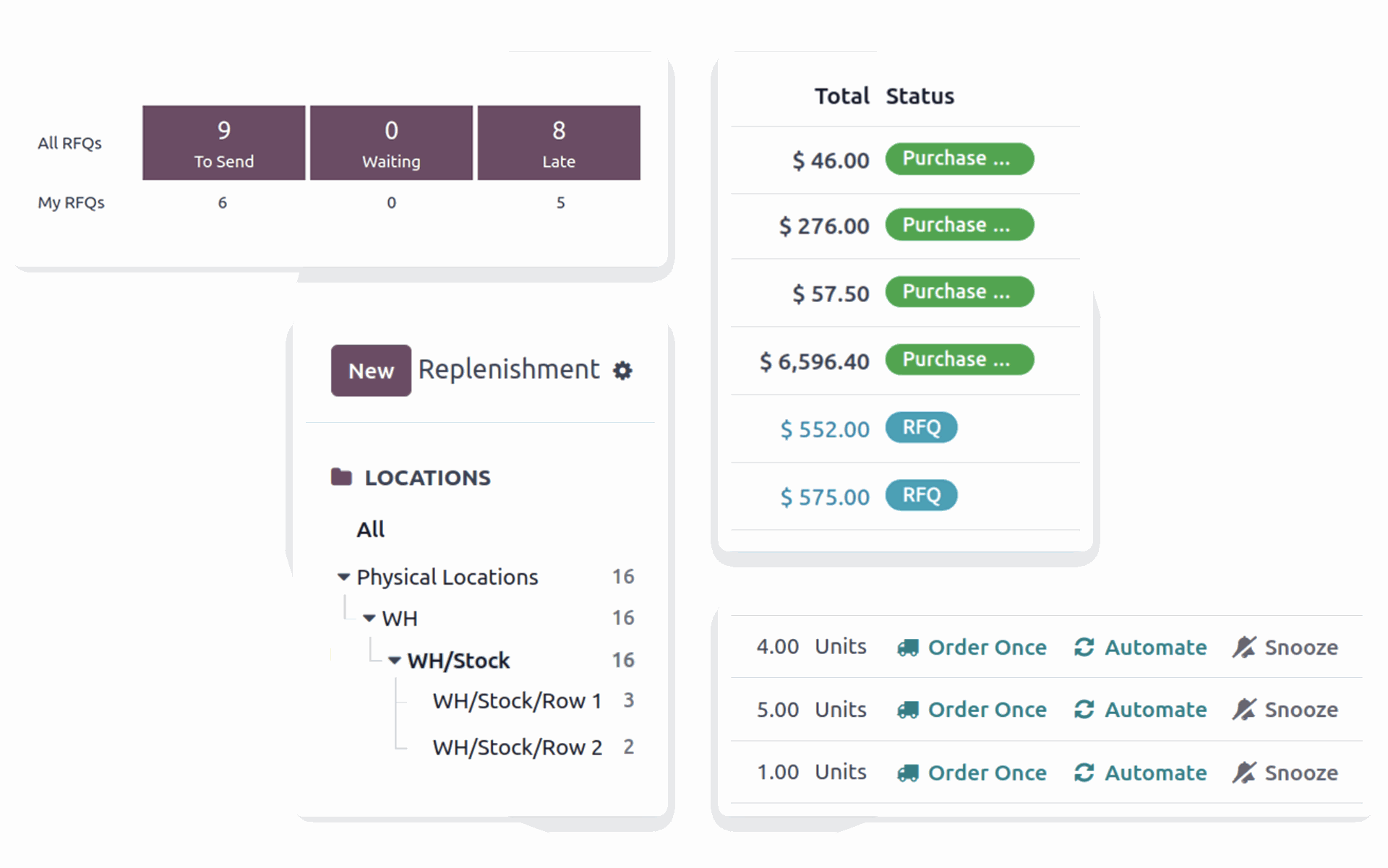
Streamline every RFQ and purchase order with automated reordering rules. Create custom rules and replenishment methods, and sync up your most important processes where it makes sense to do so — you have the power!
Flexible purchase agreements, for every situation
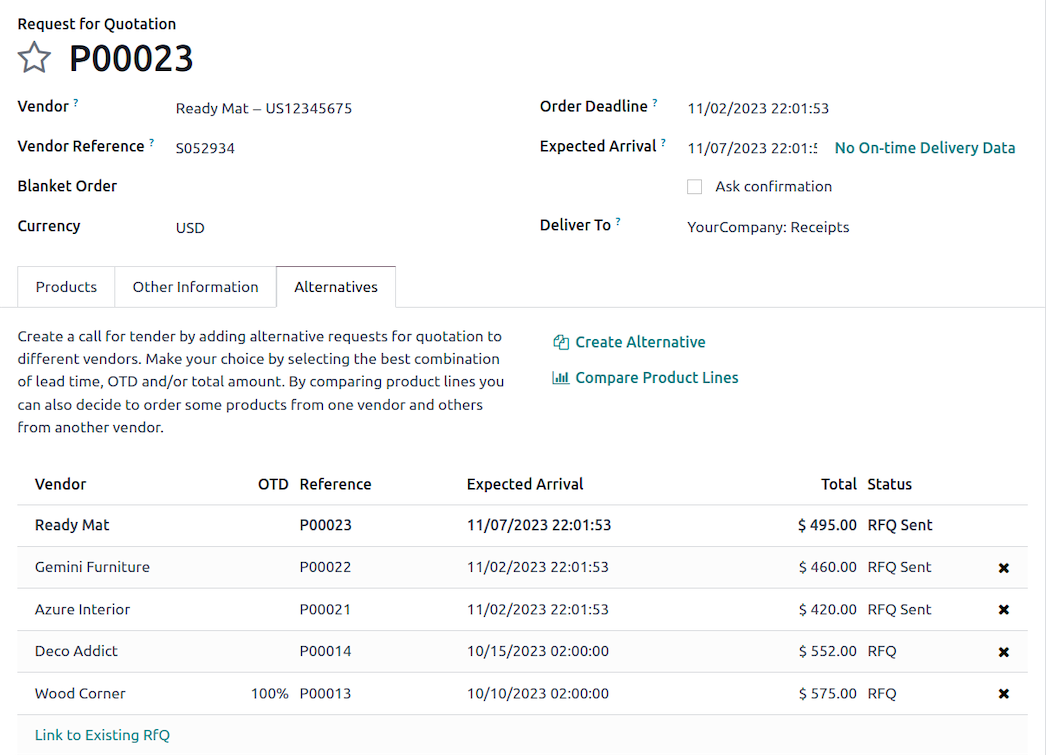
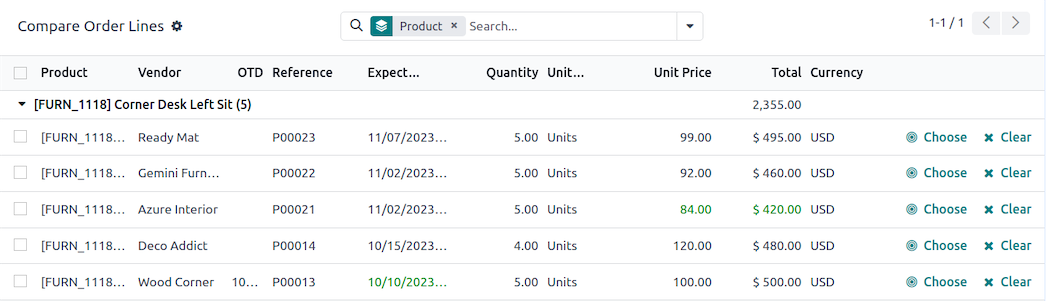
Optimize procurement with customizable and automated purchase agreements. Secure the best prices with alternative RFQs, compare product lines, and streamline recurring orders with blanket orders.

Charge vendors on your terms
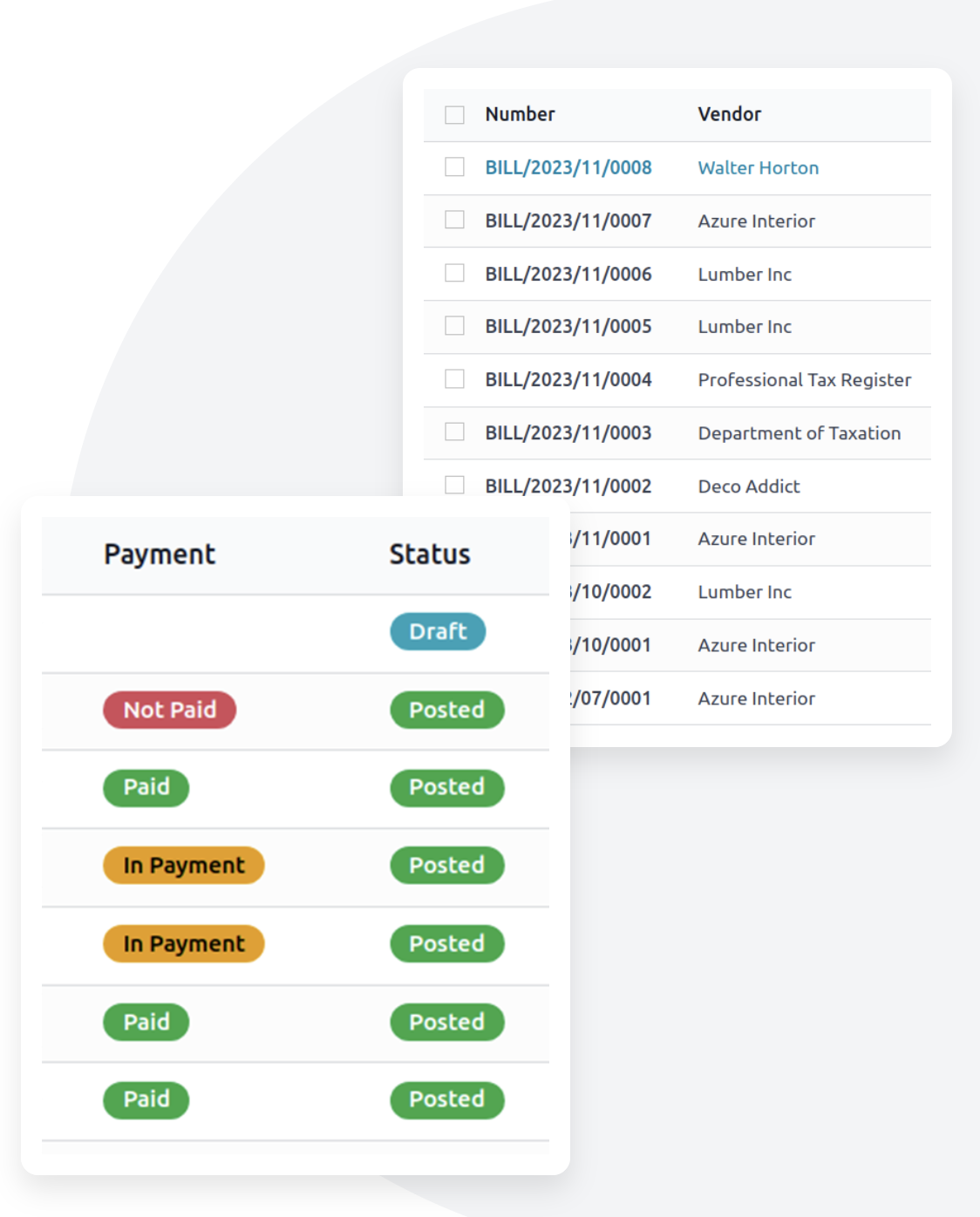
Create singular or split vendor bills at any time, and
pay based on ordered or received quantities — you choose. Integrate with
the Accounting app to track the payment status of bills.
All the small things that make procurement possible
...such as variants, packagings, units of measure, and more.
Go further to integrate your Point of Sale and eCommerce systems.

All the features done right.
Clean & fast
Modern user interface
A fast user interface designed for modern inventory management. Get more work done with less effort with or without barcode scanners.
Control vendor bills
Compare the information appearing on the Purchase Order, the Vendor Bill, and the Receipt to make sure you pay the correct bill (3-way matching).
Purchase tenders
Launch purchase tenders, integrate vendor's answers in the process and compare propositions. Choose the best offer and send purchase orders easily. Use reporting ton analyse the quality of your vendors afterwards.
Blanket order agreement
Buy goods from a supplier at a negotiated price, on a recurring basis during a specific period of time.
Requests for Quotations
Create RfQs for your suppliers
Configure each to product to send out Requests for Quotations to each of your suppliers.
Send requests through the post or by email
Send RfQs by email directly from the app or print and send them by post, all in just one click.
Get offers for multiple items
Send out RfQs for multiple products at the same time.
Personalize your message
Add a custom message to your suppliers for each of the RfQs sent.
Automate the process
Save time by setting up rules to automatically send RfQs to your suppliers based on your stocks levels.
Variants Grid Entry
Add product
variants to your purchase orders with a grid, or matrix, displaying all
the possible combinations of a product's attributes (e.g. sizes,
colors).
Manage orders
Monitor RfQs and orders
Keep track of the status of your quotes and orders, of the amount of the orders and the expected delivery date. No more generation of draft PO. Auto-complete when generating a draft invoice.
Manage incoming products
Keep track of your stock and determine quantity and locations for each batch of items you receive.
Automate ordering
Set up
procurement rules to automatically order the necessary items based on
stock levels, minimum quantities per location or per supplier, sales, or
other parameters.
Manage invoicing
Create drafts
Design drafts of invoices which you can easily modify or cancel later.
Control future orders
Keep track of orders that have been created for a date in the future.
Handle internal moves
Organize the movement of items between two locations you own.
Handle Products
Create products
Define sale price, type, barcode and reference to easily differentiate similar products.
Add supplier reference
Add the reference used by each supplier for the item to make it easier to find for both them and you.
Add product variants
Add variations such as color, memory capacity, etc. on the product to allow for a cleaner list of products.
Define procurement rules
Reference all the suppliers distributing the item, order them by priority, and record their delivery time and minimal quantity to save time on new orders.
Ideal search filters
Search products with the supplier reference on the purchase order.
Units of measure
Purchase in different units of measure and let Odoo manages the conversion.
Check stock and availability
Keep track of stock, incoming orders and product availability.
Specify storage location
Define the product's exact position within your warehouse.
Create sale conditions
Define the length of the warranty and specify customer and manufacturer lead times.
Add POS and website specifications
Add specifications to the product for its point of sale or for the website.
Include accounting rules
Specify your accounting category and define customer and supplier accounts and taxes.
Analyze & forecast
Dashboards
Use predefined dashboards or build your own with the advanced reporting engine Share filters with the team.
Inventory forecasts
Get forecasts of
product availabilities based on confirmed sales orders, purchase orders
or manufacturing orders as well as internal moves.
Multi company rules
Automatic reconciliation between companies
Save huge amounts of time and effort on all transactions made between your group's companies - transactions are automatically reconciled in all modules, for example, automatically mirror sales orders and purchase orders in multi-company setup.
One Odoo environment for multiple companies
Manage multiple companies within a single Odoo environment.