A long-term solution for short term deals
Odoo's Rental application is the simple way to oversee every step of the rental process. Manage products, schedule pickups, and sign documents all from one platform.
Save time, rent online
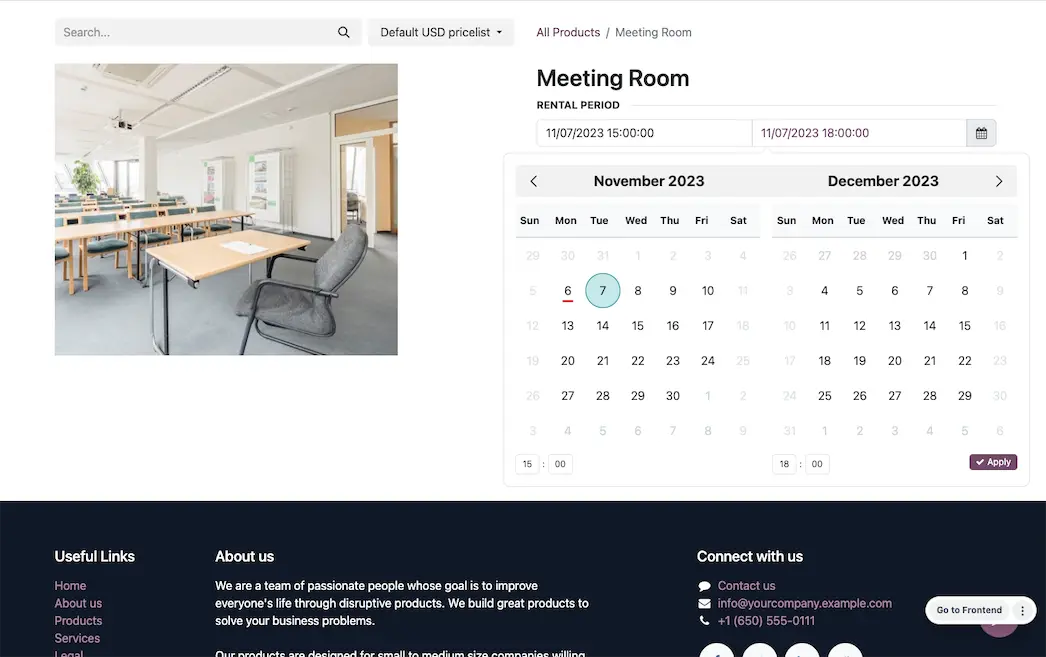
Online booking and reservations have never been easier thanks to integrations with Odoo’s eCommerce application. Customers can shop available products, reserve their selected dates, and checkout right on the website.
Time is money… literally
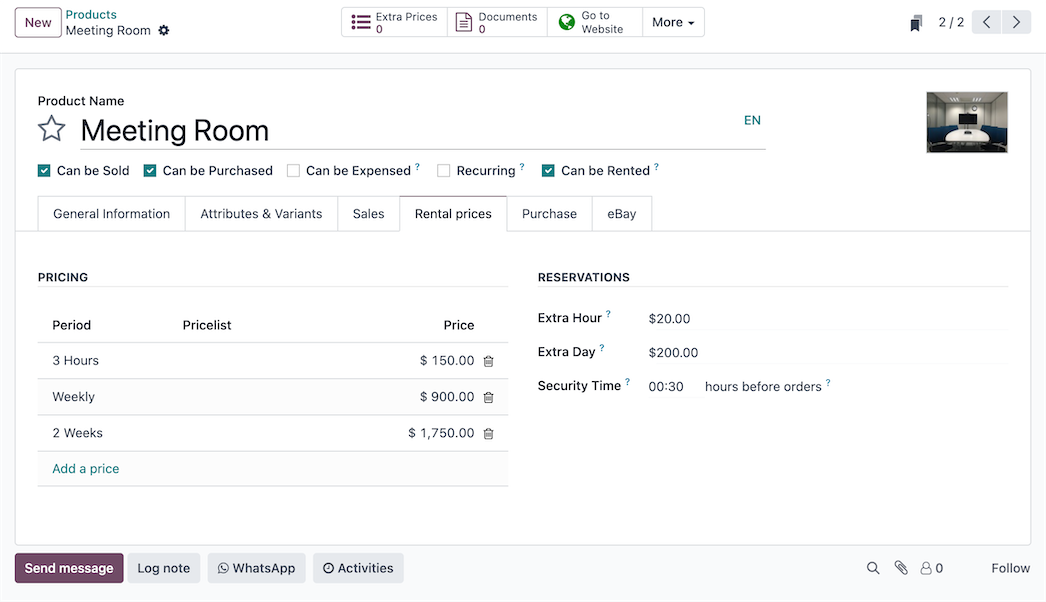
Whether you rent by the hour, week, month or year, create customized pricing for every product based on different time frames.
Signature requests on request
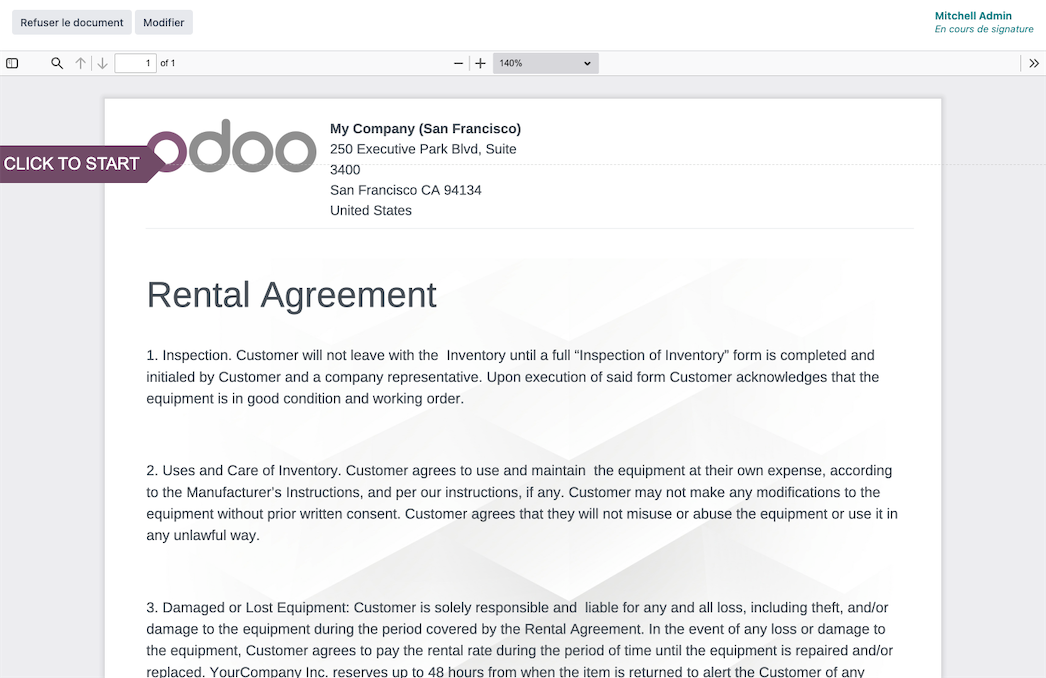
Upload rental agreements, insurance forms, contracts, and more, request a customer signature digitally before any products ever leave your warehouse.
Automate your to-do-list
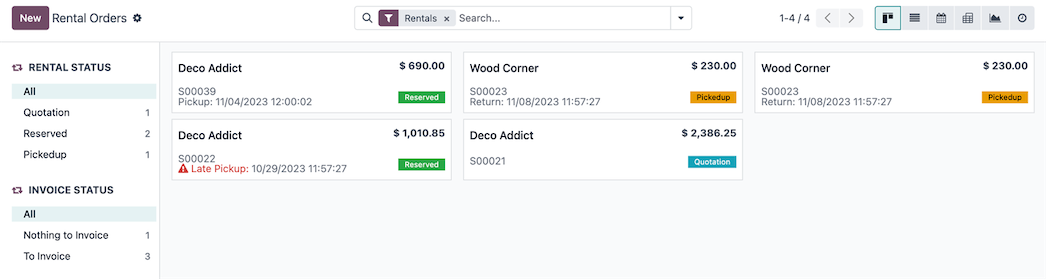
With one click, know exactly who is picking up and who is dropping off. Stay on top of your day by tracking the status of rentals and invoices from one easy dashboard.
All the features done right.
Orders
Rental Status
View a breakdown of rental orders, including pickup dates and times. Orders are tagged with “Quotation” or “Reserved” based on status. Products that are past pickup or drop off time are tagged with a warning.
Invoice Status
View a breakdown of rental orders based on what still needs to be invoiced to clients.
To Do Today
Once orders are confirmed with pickup and dropoff dates and times, tasks are added to the “To Do Today” list automatically.
Schedule
Rental Periods
Customize various durations of time that products can be rented for.
Delay Costs
Set additional costs to automatically charge for late returns. These can be applied on an hourly or daily basis.
Unavailable Days
Block out specific days where products cannot be picked up or returned.
Minimum Rental Time
Set a minimum duration between pickup and return for all products.
Padded Time
Set a minimum amount of time between two orders where products cannot be rented.
Products
Time-based Pricing
Set pricing for individual products based on different lengths of time. Pricelists can be utilized for individual time periods as well.
Security Time
Temporarily make a product unavailable for a specified amount of time before a scheduled pickup.
Extra Time fees
Apply fines for
additional time a product is kept over the reserved time. Fines can be
applied on an “Extra Hour” or “Extra Day” basis.
Reporting
Rental Analysis
View and present data on confirmed orders and quotations. Use filters and measures to track the number of products picked up and dropped off, total number of products rented, and number of orders placed.