Decision makers don't leave it up to chance
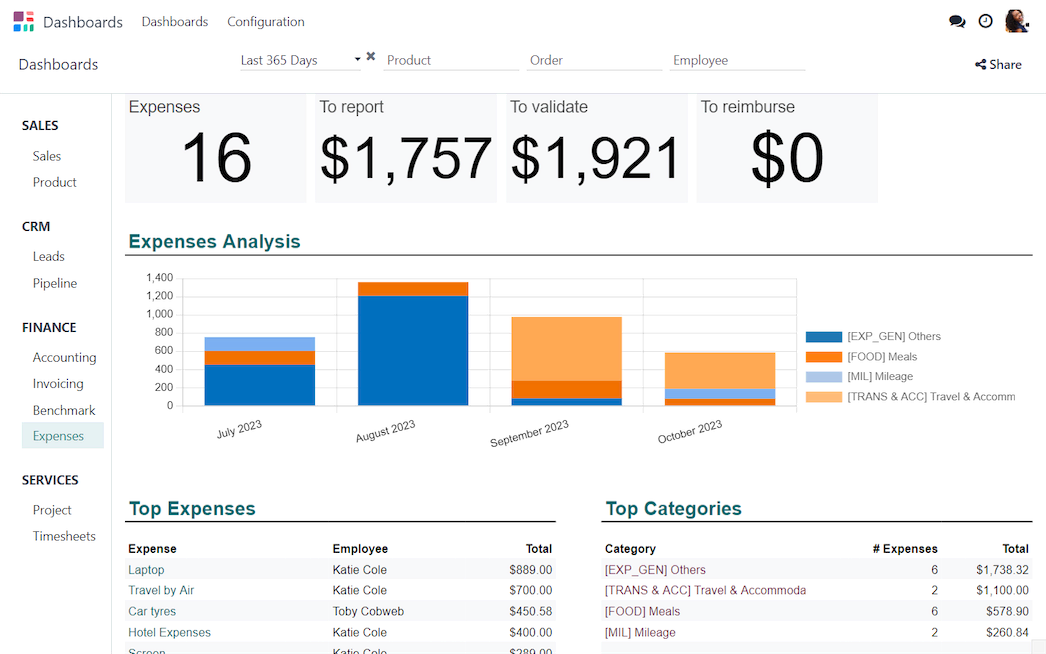
Odoo's business intelligence tools empower you to drive your business forward. Gain valuable insights into your finances and devise a winning plan.



Your business's pivot moment
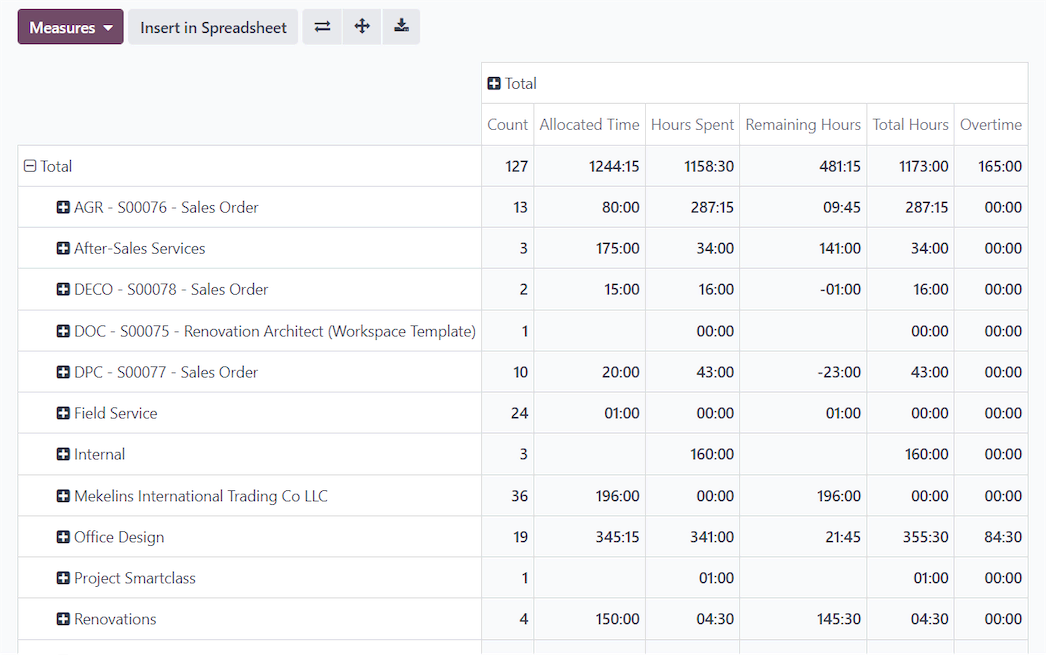
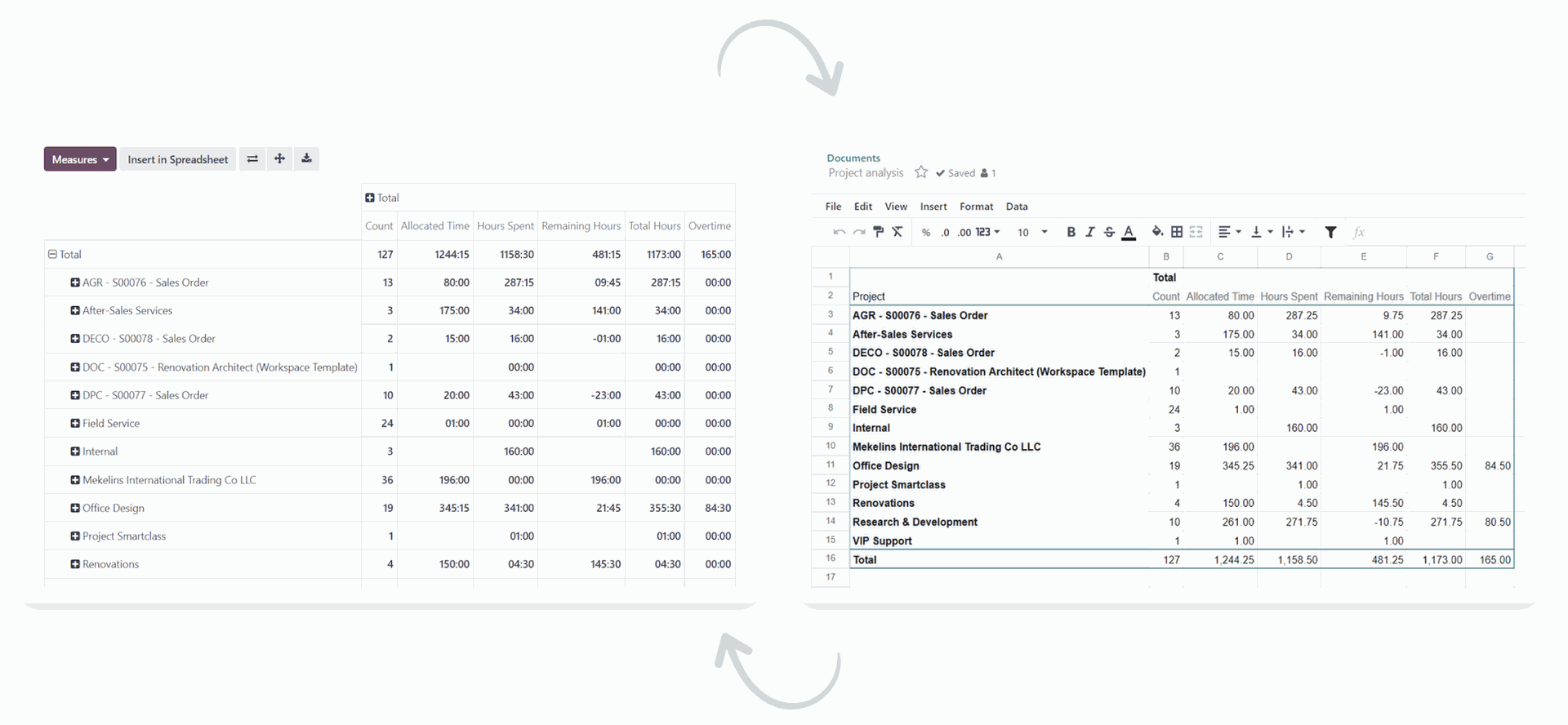
Dynamic reports. Create and view customized reports effortlessly using a user-friendly pivot view with real-time data updates.
Visualize, decide, succeed
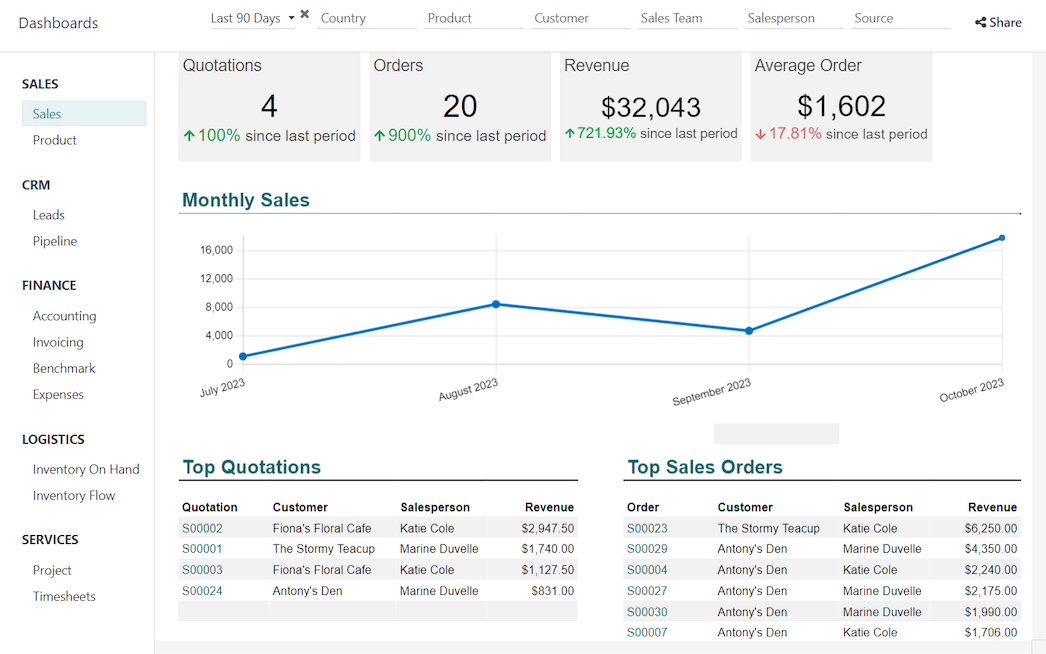
One dashboard to access all information.
Your data is sorted into customizable categories and translated into
visual representations for easy comprehension and informed
decision-making.
All the features done right.
Documents
Preview
Online preview of most file formats: PDF, images, videos.
Chat
Discuss documents, ping people, or create the following activities to track activities to do on a document.
Links
Upload regular files, or create documents as links (e.g. Google Doc files)
Owners & Contacts
Assign documents or Odoo records such as invoices, tasks, etc. to users, customers, or vendors.
Spreadsheets
Create new spreadsheets or work on existing ones.
Organize
Folders
Hierarchical folders allow to define workspace with their own tags and actions.
Tags
Set multiple tags to structure documents per folder.
Resources
Documents linked to resources (invoices, tasks) are integrated in the document management system
Easy filters
Define your filters and save the most used ones into favorite filters you can share with other users.
Split PDFs
Split multi-pages PDFs into several documents; very useful when you scan documents in batches.
Work in Batch
Tag, preview, or launch actions on a set of documents simultaneously to work in batches.
Trash
Deleted documents remain in the system's trash for 30 days and can be restored before permanent deletion.
Access Rights
Access rights are easily customizable per folder.
Collaborate
Share Folders
To grant access to external users and allow them to preview, download, and upload new documents from the shared workspace portal.
Share Documents
Share a list of documents with customers and vendors to collaborate efficiently. Set a validity date on shared documents.
Email Gateway
Configure your
scanner to send PDFs to a specific email address. Scanned files appear
automatically in your workspace. Define rules to set tags and folders
automatically according to the email.
Workflows
Customized Actions
Define automated actions per folders, contacts, and/or tasks: create documents, process bills, sign, organize files, etc.
Lock / Unlock
Ability to lock a file to warn other users that a specific document is being modified.
Document Requests
Ability to create "missing documents" and organize them like documents to remind people to upload them.
Validation Process
Easily implement custom validation processes with tags and automated actions.